23 Pinterest Marketing Tips for New Bloggers
Pinterest isn't just a place to save recipes and DIY projects—it's a powerful search engine that can send a steady stream of traffic to your blog. For new bloggers, mastering Pinterest can feel overwhelming, but the payoff is huge.
You don't need thousands of followers to see results; you just need a smart strategy. These 23 tips are designed to help you build a foundation that works.
Whether you're just setting up your account or looking to refine your approach, each tip is practical and easy to implement. Let's dive into the tactics that will turn Pinterest into one of your best traffic sources.
Free PDF Download
Not Sure Which Side Hustle Fits You Best?
Take the free Side Hustle Matchmaker Quiz and get a simple 7-day starter plan to help you choose a beginner-friendly idea based on your time, skills, comfort level, and goals.
You’ll get this free PDF plus access to the full Marketerna Save More & Earn More PDF Kit. No spam. Unsubscribe anytime.
1. Optimize Your Profile for Search
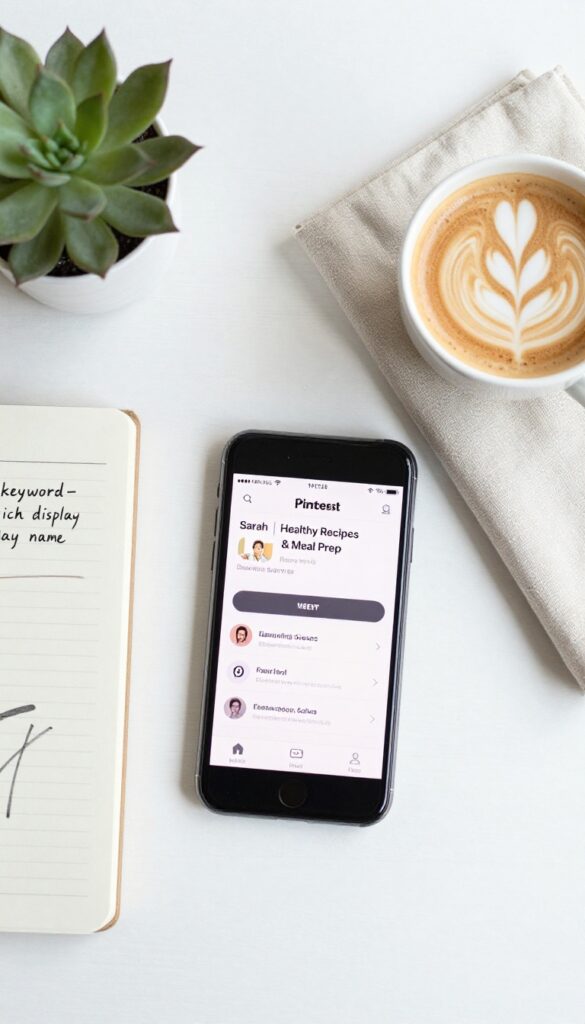
Your Pinterest profile is like your blog's storefront. If it's not optimized for search, even the best pins might never get found. The good news?
A few small tweaks can make a huge difference.
Start by treating your profile as a searchable asset. Use relevant keywords in your display name, bio, and board names. Think about what your ideal reader types into the search bar—those are the words you want to include.
Choose A Keyword-rich Display Name
Your display name isn't just your blog name. Add a few keywords that describe your niche. For example, instead of 'Sarah's Blog, ' try 'Sarah | Healthy Recipes & Meal Prep. ' This helps Pinterest understand what you're about and shows up in more searches.
Write A Bio That Sells Your Niche
Your bio has 500 characters—use them wisely. Include your main keywords naturally, and tell visitors what they'll gain by following you. Something like 'Helping new bloggers grow traffic with Pinterest tips' works better than a generic tagline.
Name Boards With Search Intent In Mind
Board names should be clear and keyword-focused. Instead of 'Yummy Food, ' try 'Quick & Healthy Dinner Recipes. ' This makes your boards more discoverable in search and helps Pinterest categorize your content correctly.
2. Create Rich Pins for Every Blog Post
If you want Pinterest to treat your content like the real deal, Rich Pins are non-negotiable. They pull data straight from your blog—like the title, description, and publish date—and update automatically whenever you make changes. That means your pins always have the freshest info, which builds trust with both users and the algorithm.
Rich Pins make your pins more useful and clickable. They show extra details right on the pin, so people know what they're getting before they click. Plus, Pinterest favors Rich Pins because they signal that your content is reliable and well-maintained.
How To Set Them Up
First, make sure your blog has meta tags for Pinterest—most platforms like WordPress have plugins that do this. Then validate your site with Pinterest's Rich Pin Validator. Once approved, all your future pins will automatically be Rich Pins.
Why They Boost Click-through Rates
Rich Pins display your blog's title and description clearly, so users don't have to guess what they're clicking. That clarity leads to more clicks and saves. Plus, the automatic updates mean you never have to manually fix broken links or outdated info.
A Quick Tip For New Bloggers
Don't forget to enable Rich Pins for all post types—articles, recipes, products, and even videos. Each type has its own metadata, so check that everything is properly tagged. Once it's set, it runs on autopilot.
Free PDF Download
Not Sure Which Side Hustle Fits You Best?
Take the free Side Hustle Matchmaker Quiz and get a simple 7-day starter plan to help you choose a beginner-friendly idea based on your time, skills, comfort level, and goals.
You’ll get this free PDF plus access to the full Marketerna Save More & Earn More PDF Kit. No spam. Unsubscribe anytime.
3. Design Vertical Pins with a 2:3 Aspect Ratio
Pinterest is a visual platform, and pin dimensions matter more than you might think. Vertical pins consistently outperform square or horizontal ones because they take up more real estate in the feed. The sweet spot is a 2: 3 aspect ratio, like 1000×1500 pixels.
This simple tweak can boost your click-through rates significantly.
Stick to a 2: 3 aspect ratio for all your pins. This ensures they display fully without being cut off, and they dominate the feed more than square pins. Use a design tool like Canva or Photoshop to set your canvas to 1000×1500 pixels.
Keep text readable and images high-quality. Test different layouts to see what resonates with your audience.
Why 2:3 Works Best
Pinterest's algorithm favors vertical pins because they take up more space, which means more visibility. A taller pin also gives you more room to include compelling visuals and text overlays. Square pins (1: 1) get lost in the shuffle, while horizontal pins take up too much vertical space and often get cropped.
Design Tips For Tall Pins
Place your most important element—like a headline or product image—in the top third of the pin, since that's what shows in the feed. Use bold, readable fonts and high-contrast colors. Add a subtle border or shadow to make the pin pop.
Keep file size under 5MB for fast loading.
Tools To Create Consistent Pins
Canva is the go-to for beginners—it has pre-set Pinterest templates with the correct dimensions. Tailwind's Create tool also lets you batch-design pins. If you use Photoshop, set up a custom preset for 1000×1500 pixels.
Consistency in size and style builds brand recognition.
4. Use Text Overlays That Spark Curiosity
The text on your Pinterest pins is often the first thing people notice. A bland label won't stop the scroll, but a curiosity-driven phrase can make someone click through to your blog. The goal is to promise value in a way that feels irresistible, not salesy.
Text overlays are your chance to communicate the benefit of clicking. Instead of stating the obvious, hint at a transformation or reveal a secret. Keep it concise—Pinterest users scan quickly, so every word must earn its place.
Lead With The Benefit
Focus on what the reader will gain. For example, instead of 'Chocolate Cake Recipe, ' try 'The Fudgiest Chocolate Cake You'll Ever Make. ' The benefit (fudgy, best ever) creates anticipation and makes the pin stand out.
Use Numbers And Specifics
Numbers add clarity and promise a quick, actionable read. '5 Secrets, ' '10 Tips, ' or '3 Ingredients' tell users exactly what to expect. Specifics also make the content feel more credible and less vague.
Create A Knowledge Gap
Phrases like 'What Nobody Tells You About. . . ' or 'The Trick to. . . ' tap into curiosity. People want to fill that gap, so they click. Just make sure your blog post delivers on the implied promise.
Free PDF Download
Not Sure Which Side Hustle Fits You Best?
Take the free Side Hustle Matchmaker Quiz and get a simple 7-day starter plan to help you choose a beginner-friendly idea based on your time, skills, comfort level, and goals.
You’ll get this free PDF plus access to the full Marketerna Save More & Earn More PDF Kit. No spam. Unsubscribe anytime.
5. Join Group Boards in Your Niche
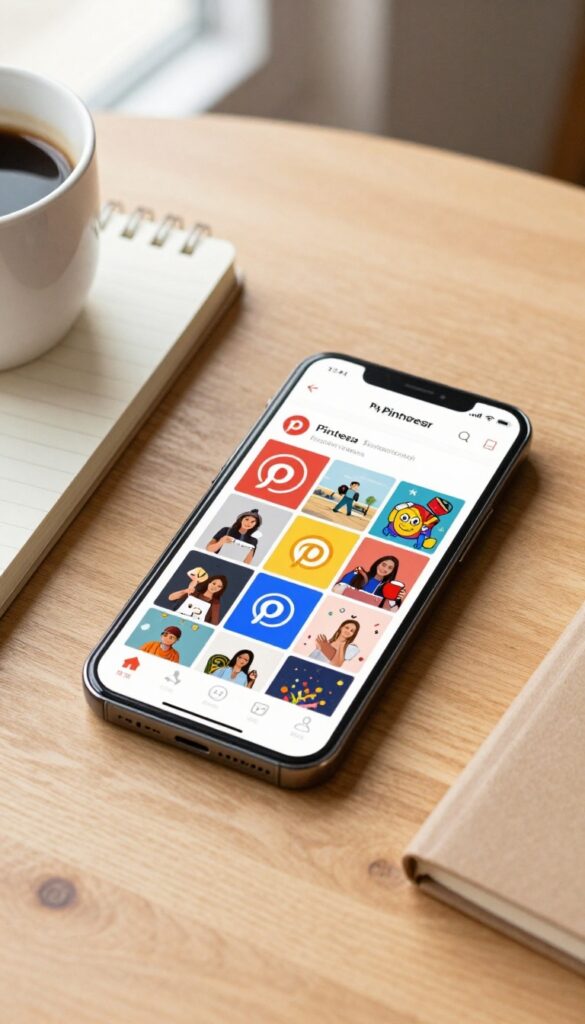
Group boards are like shared galleries where multiple pinners contribute to a common topic. For a new blogger, they can be a fast track to getting your content seen by a larger, targeted audience. The key is finding active boards with real engagement, not just big follower counts.
How To Find The Right Boards
Search Pinterest for keywords related to your niche, then filter by boards. Look for boards with recent pins (within the last day or two) and a decent number of repins. Check the group board's description for rules on how to join—many are open, but some require a request.
Contribute Your Best Pins
Don't just dump every pin you create. Share your top-performing or most visually appealing content. Aim for a mix of your own pins and others' quality content to keep the board valuable for everyone.
Consistency matters—pin regularly to stay visible.
Engage Beyond Pinning
Group boards are communities. Like and comment on others' pins, and follow active contributors. This builds relationships and can lead to more shares and collaborations.
Avoid being a drive-by pinner; genuine interaction pays off.
6. Pin Consistently—Quality Over Quantity
Consistency is the secret sauce on Pinterest. Unlike other social platforms where one viral post can carry you, Pinterest rewards steady, reliable activity. Aim for 5 to 15 pins per day, mixing your own content with curated pins from others.
This signals to Pinterest that you're an active, trustworthy source—and it keeps your content fresh in front of users.
The key is to focus on quality over sheer volume. A handful of well-designed, keyword-rich pins will outperform dozens of sloppy ones. Use scheduling tools like Tailwind to maintain a steady flow without being glued to your phone.
And don't forget to pin your own content multiple times—it takes repetition for a pin to gain traction.
Find Your Sweet Spot
Start with 5 pins per day and gradually increase to 15. Pay attention to your analytics: if you see a drop in engagement, you might be pinning too much or too little. Every niche is different, so test and adjust.
Mix Original And Curated Pins
A good rule of thumb is to pin 80% of your own content and 20% curated content from others. Curating shows Pinterest you're engaged in the community, and it adds variety for your followers. Just make sure curated pins are relevant to your niche.
Use Scheduling Tools
Manual pinning every day is a recipe for burnout. Tools like Tailwind or Buffer let you schedule pins in batches. You can plan a week's worth of pins in one sitting, then let the tool drip them out at optimal times.
7. Leverage Pinterest SEO with Keyword-Rich Descriptions
Pinterest operates like a visual search engine, and keywords are its fuel. When you write pin descriptions, you're not just describing an image—you're telling Pinterest what your content is about and who should see it. The right keywords can make your pins show up in search results long after you've published them.
Start by thinking about the exact phrases a new blogger might type into the search bar. If your pin is about "easy vegan dinner recipes, " don't just write "yummy food. " Use natural, specific phrases like "quick vegan dinner ideas for beginners" or "healthy plant-based meals.
" Sprinkle these keywords throughout your description, but keep it readable. Pinterest's algorithm favors descriptions that match user intent, so focus on what people actually search for.
Research Keywords Like A Pro
Use Pinterest's own search bar to find popular terms. Type in a broad topic like "blogging tips" and look at the autocomplete suggestions. Those are real searches people are making.
Also check related pins for common phrases. Tools like Pinterest Trends or a simple Google search can give you more ideas. Aim for a mix of broad and long-tail keywords—long-tail ones are less competitive and more targeted.
Write Descriptions That Flow
Don't stuff keywords awkwardly. Write a description that sounds natural and helpful. For example: "Want to grow your blog traffic?
This pin shares 23 Pinterest marketing tips for new bloggers, including how to optimize your profile and create viral-worthy pins. Perfect for beginners looking to master Pinterest SEO. " The keywords are there, but the sentence still reads like a human wrote it.
Include A Call-to-action
End your description with a gentle nudge. Phrases like "Save this for later" or "Click to learn more" encourage engagement. Pinterest notices when users interact with your pins, which can boost your visibility.
Keep it simple and relevant.
8. Create Multiple Pins for Each Blog Post
One pin per post is a missed opportunity. Pinterest users have different tastes and scroll at different times, so a single design won't catch everyone. By creating 3 to 5 variations, you give your content multiple chances to go viral and appeal to different segments of your audience.
Variety keeps your content fresh in the feed. Each pin can highlight a different angle—maybe one focuses on the problem solved, another on a striking visual, and another on a compelling quote. This approach also helps you test which design elements drive clicks, so you can refine your strategy over time.
Mix Up Formats And Layouts
Try a vertical image with bold text, a step-by-step graphic, and a collage-style pin. Different formats appeal to different users. For example, a recipe post could have a pin showing the finished dish, another with ingredients, and a third with a quick tip.
This variety keeps your pins from looking repetitive in the feed.
Test Headlines And Descriptions
Each pin is a chance to test a different headline or call-to-action. One might say "10 Easy Dinner Ideas" while another says "Quick Weeknight Meals Your Family Will Love. " Pair each with a unique description and keyword focus.
Over time, you'll see which messaging resonates best with your audience.
Schedule And Rotate Consistently
Don't upload all variations at once. Space them out over weeks or months to keep your content evergreen. Use a scheduler like Tailwind to spread them across different times and days.
This gives each pin its own chance to gain traction without competing with itself.
9. Use Fresh Pins to Avoid Repetition
Pinterest’s algorithm loves fresh content. When you pin the same image over and over, reach drops fast. The fix?
Create fresh pins for your best posts. A new design, a different photo, or a tweaked headline can give old content new life. Think of it as giving your evergreen posts a second wind without writing a whole new article.
Refreshing pins isn't complicated. You can swap the background color, try a different font, or use a new photo from the same post. Even small changes signal to Pinterest that this is new content, which can boost impressions and clicks.
Aim to create 3–5 fresh pins per popular post and rotate them over time.
Why Fresh Pins Matter
Pinterest’s algorithm prioritizes new pins. When you upload a fresh pin, it gets a temporary boost in visibility. This means more people see it, which can lead to more saves and clicks.
If you only use one pin per post, that pin will eventually stop performing. Fresh pins keep your content in the feed.
How To Refresh Without Starting Over
You don’t need to redesign from scratch. Simple tweaks work: change the image, update the text overlay, or use a different template. You can also repurpose content by turning a list into a step-by-step graphic or a quote into a text-based pin.
Batch create a few variations at once so you can schedule them over weeks.
Track What Works
Use Pinterest Analytics to see which fresh pins get the most engagement. If a new design outperforms the old one, lean into that style. Over time, you’ll learn what your audience responds to.
Testing small changes helps you refine your pin strategy without guessing.
10. Organize Boards with Clear, Keyword-Focused Names

Your board names are like signposts for both Pinterest’s algorithm and your audience. A vague name like 'My Favorites' tells no one anything useful. But 'Easy Vegan Dinner Recipes' immediately signals what’s inside and matches what people actually search for.
When you use clear, keyword-rich board names, you make it easier for Pinterest to understand your content and show it to the right people. This small change can boost your discoverability significantly.
Think of each board as a mini search result. The name should include the core topic and a descriptive word that clarifies the angle. For example, instead of 'Travel', try 'Budget Travel Tips' or 'Solo Female Travel Destinations'.
This helps your pins rank for specific searches and attracts a more targeted audience.
Start With Keyword Research
Use Pinterest’s search bar to see what autocomplete suggests. Type in your general topic and note the popular phrases. Those are the keywords your audience is actively using.
Incorporate them naturally into your board names.
Keep Names Clear, Not Clever
Avoid inside jokes or vague terms. 'Delicious Eats' is less effective than '30-Minute Dinner Recipes'. Clarity beats creativity here. Your goal is to be found, not to be witty.
Update Old Boards Gradually
Don’t feel pressured to rename everything at once. Start with your most important boards and update them one by one. Pinterest will recrawl and re-index them, so the changes will take effect over time.
11. Add a Pinterest Save Button to Your Blog
You can create the most pin-worthy image in the world, but if readers can't pin it easily, they probably won't. A Pinterest Save button removes the friction and turns passive visitors into active pinners. It's a small addition that can significantly boost your pin count and, ultimately, your traffic.
Adding a Pinterest Save button to your blog images makes it effortless for readers to share your content. You can use a hover button that appears when someone mouses over an image, or a click-to-pin button placed near your images. Both options encourage organic sharing without any extra work from you.
Why It Matters
Every time a reader pins your image, it's a vote of confidence that tells Pinterest your content is valuable. More pins mean more exposure, which leads to more traffic. Plus, it's a passive way to grow your presence—you set it up once, and it works for you 24/7.
How To Add It
The easiest way is to use a plugin like Pinterest Pin It Button for WordPress or Shareaholic. These tools let you customize the button's appearance and behavior. If you're on a different platform, Pinterest offers a free widget builder that generates the code for you.
Just paste it into your theme's footer or single post template.
Best Practices
Make sure the button only appears on your own images, not on things like your logo or sidebar graphics. Also, test it on mobile—most of your traffic likely comes from phones, and a clunky button can ruin the experience. Keep it subtle but visible, like a small red 'Save' icon in the corner of your images.
12. Analyze Your Pinterest Analytics Regularly
You can pin all day long, but if you never check what's actually working, you're flying blind. Pinterest Analytics gives you a clear picture of which pins and boards are driving traffic and which ones are just taking up space. Make it a habit to peek at your data at least once a week.
Start by looking at your top pins and boards in the analytics dashboard. Sort by clicks or outbound clicks to see what's actually sending people to your site. Then, double down: create more pins in a similar style, promote those top performers, or repurpose them with new images.
For underperformers, tweak the title, description, or image and test again. The goal is to let the data guide your next move instead of guessing.
What To Look For
Focus on metrics that matter: impressions show how many people see your pin, but clicks and saves tell you if it's engaging. Also check the 'top boards' report to see which board categories resonate most. If a board consistently drives traffic, consider creating more content in that niche.
How Often To Check
A weekly check-in is enough for most bloggers. Look for trends over time rather than obsessing over daily fluctuations. Pinterest's analytics update with a slight delay, so give new pins at least a week before judging their performance.
Using Insights To Plan Content
Let your analytics inform your content calendar. If a certain topic or pin style is getting traction, create more of that. If a board is dead, archive it or rename it to something more focused.
Data-driven adjustments keep your strategy fresh and effective.
13. Schedule Pins with a Tool Like Tailwind
Consistency is key on Pinterest, but manually pinning throughout the day can eat up hours. That's where scheduling tools like Tailwind come in. They let you plan your pins in advance, so you stay active without being glued to your screen.
Tailwind isn't just a timer—it's a smart assistant. It analyzes when your audience is most active and suggests the best times to pin. Plus, it tracks performance so you can see what's working and adjust your strategy.
Save Hours Each Week
Instead of pinning one by one, upload a batch of images and schedule them over days or weeks. Tailwind's queue feature lets you set it and forget it. You can even recycle your best-performing pins automatically.
Post At Peak Times Without Being Online
Tailwind's SmartSchedule looks at your past pin performance and suggests times when your followers are most active. You don't have to guess or wake up at 3 a. m. to pin—Tailwind does the heavy lifting.
Track What Works With Built-in Analytics
See which pins drive clicks, saves, and impressions. Tailwind's dashboard shows you top performers, so you can double down on what resonates. No more flying blind—you'll know exactly what to create more of.
14. Engage with Your Audience by Replying to Comments
Pinterest isn't a one-way street. When someone takes the time to comment on your pin, they're inviting a conversation. Replying not only makes that person feel valued but also signals to Pinterest that your content is active and engaging.
That can give your pins a little boost in the algorithm.
Engaging with comments builds a loyal community around your brand. It encourages others to comment too, knowing they'll get a response. Plus, thoughtful replies can turn a casual pinner into a dedicated follower who clicks through to your blog.
Reply Quickly And Authentically
Aim to respond within 24 hours. Keep it genuine—thank them for their input, answer their question, or add a helpful tip. Avoid generic replies like "Thanks!
" Instead, personalize: "So glad you liked this recipe! I love adding extra cinnamon too. "
Ask A Follow-up Question
Turn a comment into a conversation by asking something related. For example, if someone says they love your travel tip, ask where they're planning to go next. This keeps the dialogue going and increases the chance of more comments and saves.
Use Comments To Inspire New Content
Pay attention to common questions or requests in comments. If multiple people ask about a specific detail, that's a signal to create a new pin or blog post addressing it. It shows you listen and keeps your content relevant.
15. Create a Board for Your Own Content Only
A dedicated board for your blog posts makes it easy for followers to browse your work. It also signals to Pinterest that your content is a priority. Keep it organized by category to help users find exactly what they need.
Why A Dedicated Board Matters
When someone discovers one of your pins and visits your profile, they'll likely check your boards. A board solely for your content gives them a quick way to see everything you offer. It also helps Pinterest understand your niche and rank your pins better.
How To Organize It
Don't just dump all your posts in one board. Create section boards within your main blog board. For example, if you blog about food, have sections for appetizers, main dishes, and desserts.
This makes browsing effortless and encourages more saves.
Naming And Cover Image Tips
Name your board something clear like "My Blog Posts" or "From the Blog. " Use a consistent cover image—maybe your logo or a cohesive pin design—so the board looks polished. Update the cover periodically to feature your best content.
16. Use Video Pins to Stand Out
Video content is taking over social media, and Pinterest is no exception. Video Pins are getting more reach and engagement because they grab attention quickly. Instead of scrolling past a static image, users stop to watch a short clip—and that extra second of attention can lead to a click.
You don't need fancy equipment or editing skills. A simple 15-second clip showing a behind-the-scenes look, a quick tutorial, or a preview of your blog post can work wonders. The key is to make it feel native to Pinterest: vertical, silent-friendly, and visually compelling from the first frame.
Start by repurposing content you already have. If you filmed a recipe, a DIY process, or a travel moment, trim it down to a short loop. Add text overlays sparingly—just enough to give context without cluttering the screen.
Upload directly to Pinterest or use a tool like Canva to create simple slideshow videos. Consistency matters: aim to mix video pins into your regular pinning schedule, maybe one or two per week.
Keep It Short And Loop-friendly
Pinterest autoplays videos in the feed, so aim for 15 to 30 seconds. Longer videos can work, but the first few seconds must hook the viewer. A smooth loop (no abrupt ending) encourages re-watches and boosts engagement.
Test different lengths to see what your audience responds to.
Add A Clear Call To Action
Even though it's a video, don't forget the goal—driving traffic to your blog. End the clip with a simple prompt like "Full tutorial on the blog" or "Get the recipe at [your blog name]. " You can also add a text overlay at the end with your URL.
Make it easy for viewers to know what to do next.
Optimize For Silent Viewing
Many Pinterest users browse without sound. Use captions, text overlays, or visual cues to convey your message. If you include music or voiceover, ensure the video still makes sense muted.
This makes your content accessible and effective in any setting.
17. Collaborate with Other Bloggers on Group Boards
Group boards are one of the fastest ways to expand your reach on Pinterest. When you collaborate with other bloggers, your pins get exposed to their audiences, and vice versa. It's a win-win that can multiply your traffic without extra effort.
Find group boards in your niche by searching Pinterest for keywords like "food bloggers group board" or "travel tips group board. " Look for boards with active members and high engagement. Request to join, then start pinning your best content alongside others.
The key is to reciprocate—share other members' pins too, and engage with the community. Over time, you'll build relationships that lead to more collaborations and organic growth.
How To Find The Right Group Boards
Start by searching Pinterest for terms related to your niche plus "group board. " You can also check out the boards that top bloggers in your field follow or contribute to. Aim for boards with at least a few thousand followers and regular pinning activity.
Avoid boards that look spammy or have low engagement.
Best Practices For Group Board Etiquette
Once you're in, follow the board's rules. Most require you to pin a certain ratio of others' content to your own. Always repin high-quality pins from fellow members, and don't just dump your own links.
Engage by commenting or liking pins—it builds goodwill and encourages others to share your content too.
Creating Your Own Group Board
If you can't find a suitable group board, start your own! Invite bloggers you admire or who have complementary content. Set clear guidelines about what to pin and how often.
As the board grows, it becomes a valuable asset for your Pinterest strategy and a networking tool.
18. Optimize for Mobile Users
Think about how you browse Pinterest. Chances are, you're on your phone, scrolling while waiting in line or relaxing on the couch. That's the reality for most users—over 85% of Pinterest traffic comes from mobile devices.
If your pins aren't designed for small screens, you're missing out on a massive audience.
Mobile optimization isn't just about making things fit. It's about creating a seamless experience that keeps users engaged and clicking through to your blog. Here's how to make sure your pins and profile shine on every device.
Use Vertical Images With Clear Focus
Pins with a 2: 3 aspect ratio (like 1000 x 1500 pixels) take up more screen space and grab attention. On mobile, tiny details get lost, so keep your main subject large and centered. Avoid cluttered backgrounds or tiny text that becomes unreadable when scaled down.
Make Text Legible At Small Sizes
Test your pins by viewing them on a phone before publishing. If you have to squint to read the text, it's too small. Use bold, sans-serif fonts and keep text overlays minimal.
A good rule: the most important words should be readable even in thumbnail view.
Optimize Your Profile For Thumbs
Your profile picture, board covers, and bio all appear on mobile. Choose a clear, high-contrast profile photo. Write a bio that's concise—users won't tap "read more" on a tiny screen.
And make sure your board covers are visually distinct so users can easily find what they're looking for.
Check Your Links And Landing Pages
A beautiful mobile pin is useless if the link leads to a desktop-only page. Ensure your blog is mobile-friendly, loads quickly, and has readable text without zooming. Test the entire journey from pin to post on your phone to catch any hiccups.
19. Test Different Pin Styles and Formats
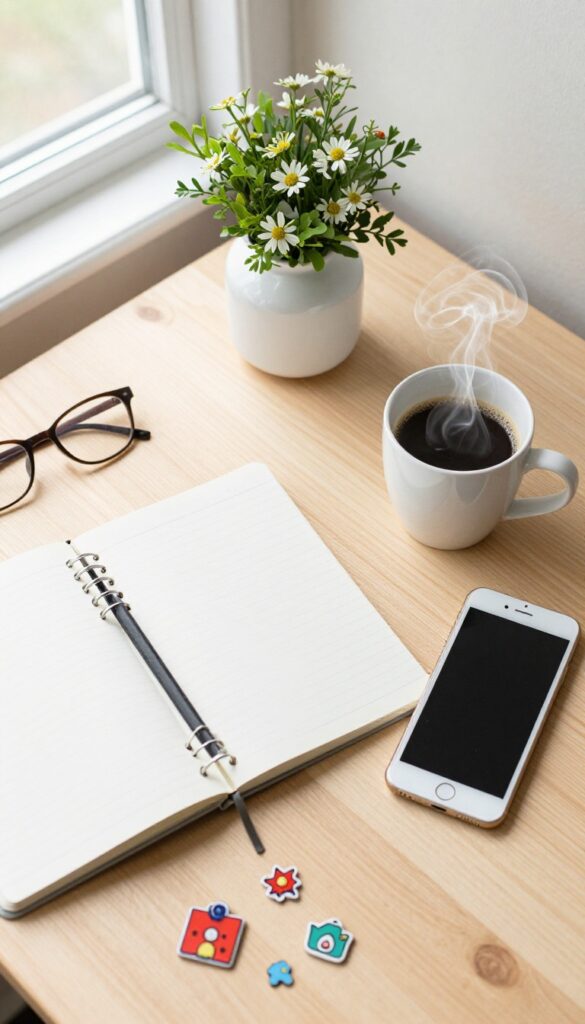
Not all pins are created equal. Some styles grab attention instantly, while others blend into the feed. The only way to know what works for your audience is to experiment.
Start by creating a few different pin formats for the same blog post. Track which ones get the most clicks and saves. Over time, you'll spot clear winners that you can double down on.
Flat Lays And Collages
Flat lays are a staple on Pinterest. They're visually clean and easy to scan. Try arranging props that relate to your post—like a notebook, coffee cup, and flowers for a productivity article.
Collages work well too, especially for roundup posts or recipes.
Step-by-step Graphics And Quotes
Step-by-step graphics are perfect for tutorials or DIY content. Break the process into 3–4 simple images with short captions. Quote pins, on the other hand, work great for inspirational or motivational topics.
Use a bold font and contrasting background to make the text pop.
Infographics And Long Pins
Infographics are highly shareable because they pack a lot of value into one image. They're ideal for listicles, statistics, or how-to guides. Long pins (2: 3 aspect ratio) tend to perform better because they take up more screen space and keep users scrolling.
20. Write Click-Worthy Pin Titles
Your pin title is the first thing users see when your pin appears in their feed or search results. A generic title like "Healthy Breakfast Ideas" gets lost in the noise. But a specific, benefit-driven title like "10-Minute Healthy Breakfast Ideas for Busy Mornings" stops the scroll and invites clicks.
The difference is intentionality—you're telling the user exactly what they'll get and why it matters to them.
A compelling pin title does two things: it sparks curiosity and promises value. Use numbers, power words, and clear benefits. Avoid clickbait—your title should match the content of your blog post.
Test different formats, such as questions, how-tos, or list-style titles, to see what resonates with your audience. Remember, Pinterest is a search engine, so include relevant keywords naturally.
Use Numbers And Specifics
Numbers grab attention and set clear expectations. "5 Ways to. . . " or "10 Tips for. . .
" perform better than vague titles. Specifics like "30-Minute Meals" or "Under $20" add credibility and help users decide if your content is right for them.
Incorporate Keywords Naturally
Think about what your target audience is searching for. Use tools like Pinterest's search bar to find popular phrases. Weave those keywords into your title without making it sound forced.
For example, instead of "Easy Dinner Recipes, " try "Quick Easy Dinner Recipes for Weeknights. "
Create Urgency Or Emotion
Words like "must-try, " "essential, " or "game-changing" can make your title more compelling. But don't overdo it—authenticity matters. A title like "The Ultimate Guide to. . .
" implies comprehensive value, while "You Need to Try This. . . " creates a sense of urgency.
21. Use Pinterest Trends to Find Popular Topics
Pinterest Trends is like a cheat sheet for content creators. It shows you what people are searching for right now, so you can create pins that meet demand. Instead of guessing what your audience wants, let data guide you.
This tool is free and incredibly easy to use.
Checking Pinterest Trends regularly helps you spot rising topics before they peak. You can filter by category, time frame, and device to see exactly what's gaining traction. Pair this with the search bar's autocomplete suggestions for even more ideas.
When you create content around trending keywords, your pins are more likely to get discovered and saved.
How To Access Pinterest Trends
Go to trends. pinterest. com or find it inside your analytics. Type in a broad topic related to your niche, and you'll see a graph showing interest over time. You can also compare multiple terms to see which one is growing faster.
Turn Trends Into Pins
Once you spot a trending keyword, create a pin specifically targeting that term. Use it in your title, description, and board name. For example, if "slow cooker meals" is trending, write a blog post with that exact phrase and design a pin around it.
Combine Trends With Seasonal Peaks
Pinterest Trends also shows seasonal patterns. Plan your content calendar around these peaks. If "Christmas decorating" starts rising in September, start pinning your holiday content early to ride the wave.
22. Avoid Common Pinterest Mistakes Like Broken Links
Even the most beautiful pin won't do you any good if it leads to a dead end. Broken links frustrate users and signal to Pinterest that your content isn't trustworthy. Let's make sure every click counts.
Regularly check that your pins link to the correct URLs. Broken links hurt user experience and your credibility.
Why Broken Links Are A Big Deal
When someone clicks your pin and lands on a 404 page, they leave immediately. That tells Pinterest your content isn't valuable, so your pins get shown less. Over time, broken links can tank your overall account performance.
How To Check Your Pins For Broken Links
Use a tool like Broken Link Checker or manually spot-check your most popular pins. Pay special attention to old pins where URLs may have changed. If you've redesigned your blog, update all links in your Pinterest account.
Fix Broken Links Quickly
When you find a broken link, edit the pin in Pinterest to point to the correct URL. For pins you've already scheduled, update them in your scheduler. Make it a habit to check links monthly.
23. Be Patient and Persistent

Pinterest marketing isn't a sprint—it's a marathon. Many new bloggers expect overnight results, but the platform rewards consistency over time. Your pins might not take off immediately, but every pin you save is a seed for future traffic.
Stick with it, and you'll see the compound effect kick in.
The key is to keep showing up. Pin daily, test different formats, and pay attention to what resonates. Over weeks and months, your efforts will build momentum.
Don't get discouraged by slow starts; even the most successful bloggers had quiet beginnings.
Set Realistic Milestones
Instead of aiming for viral pins right away, focus on small wins. Celebrate when a pin gets its first few clicks, or when you gain your first 100 monthly viewers. These micro-milestones keep you motivated and prove that your strategy is working.
Track Your Progress
Use Pinterest Analytics to monitor trends. Look at which pins are gaining traction and double down on similar content. If something isn't working, tweak your approach.
Patience doesn't mean doing the same thing blindly—it means learning and adapting.
Trust The Process
Remember that Pinterest is a visual search engine. Your pins can resurface months later and suddenly drive traffic. Keep a consistent schedule, refine your boards, and trust that every pin contributes to your long-term success.
Persistence pays off.
FAQ
How often should I pin as a new blogger?
Start with 5-10 pins per day, mixing your own content with curated pins. Consistency matters more than volume.
Do I need a business account for Pinterest marketing?
Yes, a business account gives you access to analytics, Rich Pins, and advertising features. It's free and easy to switch.
What size should my Pinterest pins be?
Use a 2: 3 aspect ratio, typically 1000×1500 pixels. This size performs best in feeds and on mobile.
How long does it take to see results from Pinterest?
Most bloggers see initial traffic within a few weeks, but significant growth often takes 3-6 months of consistent effort.
Can I use the same pin for multiple blog posts?
It's better to create unique pins for each post. However, you can repurpose a pin design with different images or text for different posts.
Conclusion
Pinterest marketing doesn't have to be complicated. By focusing on these 23 tips, you can build a solid foundation that drives consistent traffic to your blog. Start with the basics—optimize your profile, create compelling pins, and pin consistently.
Remember, the key is to test and learn what works for your unique audience. Don't be afraid to experiment and adjust your strategy over time. With patience and persistence, Pinterest can become one of your most valuable traffic sources.
Free PDF Download
Not Sure Which Side Hustle Fits You Best?
Take the free Side Hustle Matchmaker Quiz and get a simple 7-day starter plan to help you choose a beginner-friendly idea based on your time, skills, comfort level, and goals.
You’ll get this free PDF plus access to the full Marketerna Save More & Earn More PDF Kit. No spam. Unsubscribe anytime.