23 Blog Content Ideas for Pinterest Traffic
Pinterest isn't just a social network—it's a visual search engine hungry for your content. The right blog post can send a steady stream of visitors for months, even years. But you need ideas that match what people are actually pinning and searching for.
These 23 content ideas are built to perform on Pinterest. Each one targets a specific search intent or pinning behavior, from step-by-step guides to seasonal roundups. No fluff, just actionable angles.
Pick the ones that fit your niche, write them well, and optimize your pins. The traffic will follow.
Free PDF Download
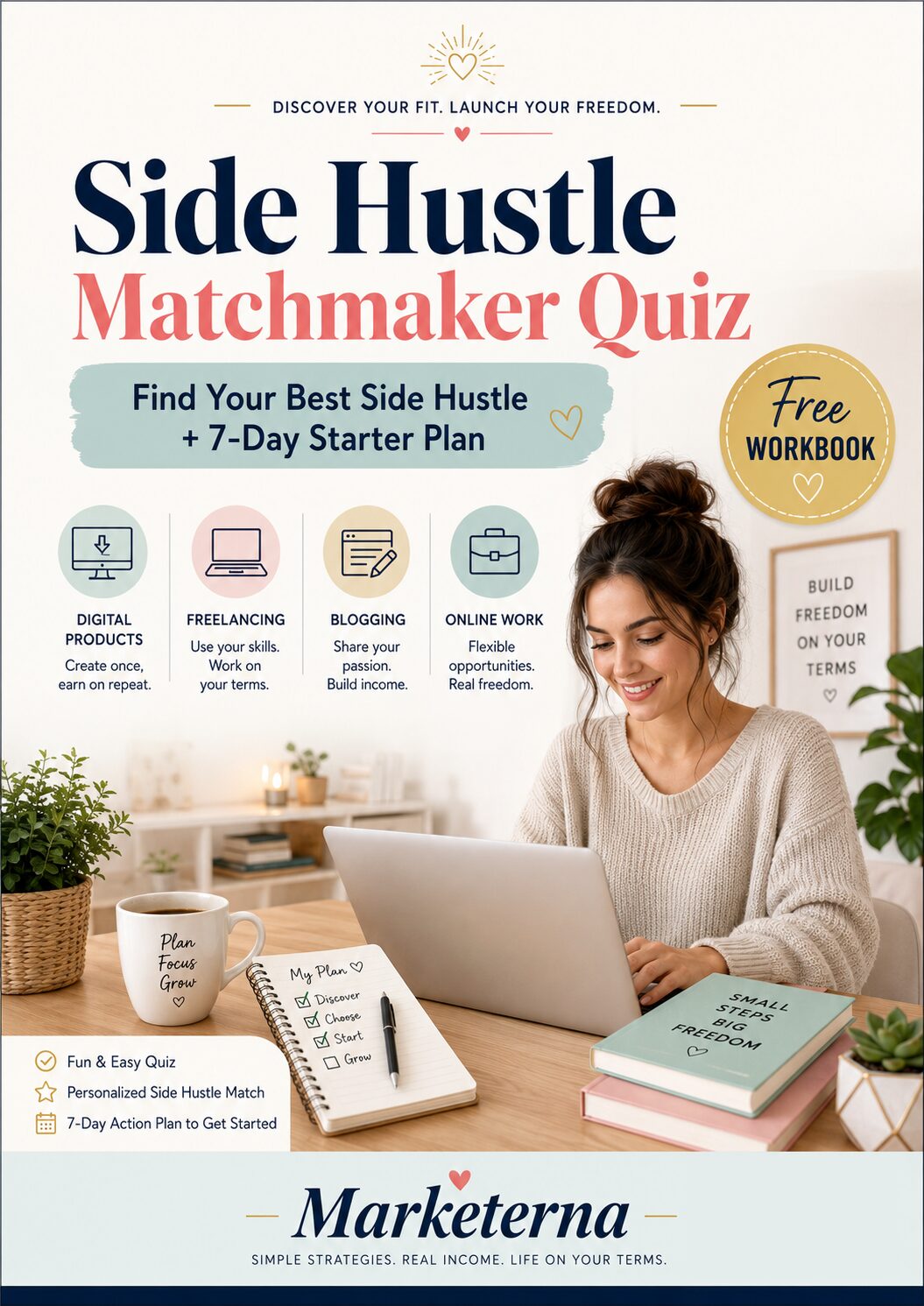
Not Sure Which Side Hustle Fits You Best?
Take the free Side Hustle Matchmaker Quiz and get a simple 7-day starter plan to help you choose a beginner-friendly idea based on your time, skills, comfort level, and goals.
You’ll get this free PDF plus access to the full Marketerna Save More & Earn More PDF Kit. No spam. Unsubscribe anytime.
1. The Ultimate Step-by-Step Tutorial

Tutorials are gold on Pinterest. Users come to learn something new, and a clear, visual guide is exactly what they save for later. When you break down a complex process into manageable steps, your pin becomes a go-to resource that gets repinned over and over.
Choose A Process Your Audience Struggles With
Start by identifying a task your readers find challenging but rewarding. It could be anything from baking sourdough to setting up a budget spreadsheet. The key is to pick something that requires multiple steps and has a clear outcome.
Break It Down Visually
Each step should have its own image or graphic. Use arrows, numbers, or color coding to guide the eye. Pinterest is visual, so make sure your tutorial is easy to follow without reading a single word.
Add Pro Tips And Common Mistakes
Include short tips that save your readers time or frustration. Also mention what can go wrong and how to fix it. This builds trust and makes your tutorial more comprehensive.
2. Before and After Transformation
People love seeing progress. A dramatic before-and-after shot stops the scroll because it promises hope and proof that change is possible. Whether you're in home decor, fitness, cooking, or beauty, this format works because it's visual and emotional.
The contrast tells a story in a single glance, and that's exactly what makes a pin shareable.
The key is to make the transformation obvious and honest. Use good lighting and consistent angles so the difference is clear. Add a brief caption that explains what changed and how you did it.
This builds trust and gives followers a reason to click through for the full story.
Choose A Dramatic Starting Point
Pick a 'before' that looks genuinely unappealing or unfinished. A cluttered room, a raw ingredient, or a tired face. The bigger the gap between before and after, the more satisfying the reveal.
Just keep it real—no fake messes or exaggerated filters.
Show The Process, Not Just The Result
A single side-by-side is great, but a step-by-step collage or a short video adds depth. People want to know how you got from point A to point B. Break it down into 3-5 key steps and pin each one as a separate image to create a mini-series.
Add Context With A Short Story
Pair the image with a relatable backstory. Why did you make the change? What problem were you solving?
A sentence like 'I finally tackled the junk drawer that haunted me for years' makes the transformation feel personal and achievable.
Free PDF Download
Not Sure Which Side Hustle Fits You Best?
Take the free Side Hustle Matchmaker Quiz and get a simple 7-day starter plan to help you choose a beginner-friendly idea based on your time, skills, comfort level, and goals.
You’ll get this free PDF plus access to the full Marketerna Save More & Earn More PDF Kit. No spam. Unsubscribe anytime.
3. The Complete Resource List
Curated resource lists are Pinterest gold. People pin them as reference material, bookmarking tools, books, or websites they can come back to later. That means your post keeps getting discovered long after publication.
Pick a specific task your audience struggles with—like editing photos, meal planning, or learning a new skill—and gather the best resources. Organize them into categories, add a brief description for each, and explain why it's useful. The more actionable, the better.
Choose A Focused Topic
Don't just list "best productivity tools. " Narrow it down to something like "10 Free Tools to Manage Your Freelance Projects. " A tight focus makes your list more valuable and easier to pin.
Add Personal Experience
Share why you picked each resource. A quick sentence like "I've used this for two years and it saved me hours" builds trust. People love real recommendations over generic roundups.
Design For Pinning
Create a vertical pin image for each resource or one long pin that covers the whole list. Use clear headings and icons so it's scannable. A well-designed resource pin gets saved again and again.
4. Common Mistakes to Avoid
Even the best Pinterest strategy can backfire if you're making a few common errors. The negative angle might feel a bit harsh, but it's surprisingly effective—people love sharing posts that help their friends dodge the same pitfalls. Let's walk through the biggest mistakes bloggers make on Pinterest so you can skip the frustration and start seeing results.
Skipping Keyword Research
Pinterest is a search engine, not just a pretty gallery. If you're pinning without researching what your audience actually types into the search bar, you're basically shouting into the void. Use Pinterest's guided search or a keyword tool to find high-volume, low-competition terms.
Then weave those into your pin titles, descriptions, and board names.
Ignoring Pin Design Basics
A blurry photo or tiny text might work on Instagram, but on Pinterest it's a death sentence. Pins need to be tall (2: 3 ratio), high-resolution, and easy to read. Avoid cluttered backgrounds and make sure your font is bold enough to catch a finger-scrolling eye.
Test your pin on a phone screen before hitting publish.
Posting Inconsistently
Pinterest rewards accounts that pin regularly. If you upload a batch of pins once a month and then go silent, your content gets buried. Use a scheduler like Tailwind to keep a steady flow—aim for at least 5-10 fresh pins per day.
Consistency builds momentum and tells the algorithm you're active.
Free PDF Download
Not Sure Which Side Hustle Fits You Best?
Take the free Side Hustle Matchmaker Quiz and get a simple 7-day starter plan to help you choose a beginner-friendly idea based on your time, skills, comfort level, and goals.
You’ll get this free PDF plus access to the full Marketerna Save More & Earn More PDF Kit. No spam. Unsubscribe anytime.
5. Seasonal or Holiday Roundup

People start searching for holiday ideas weeks or even months in advance. Seasonal roundup posts tap into that early planning behavior, giving your content a long runway to gain traction on Pinterest. Whether it's Halloween costumes, Christmas recipes, or summer travel guides, these posts consistently attract saves and clicks.
A seasonal roundup collects the best ideas, tips, or products for a specific holiday or season. The key is to publish early—at least 6 weeks before the event—so Pinterest has time to index and surface your content. Use a clear, keyword-rich title like "50 Best DIY Halloween Decorations" or "15 Easy Thanksgiving Desserts.
"
Choose The Right Season Or Holiday
Focus on holidays that naturally fit your niche. A food blog can do Christmas cookies, a fashion blog can do summer capsule wardrobes, and a DIY blog can do Valentine's Day crafts. Don't try to cover every holiday; pick 3–4 per year that align with your audience's interests.
Structure For Scanability
Break your roundup into clear categories or themes. For example, a "Back to School" post could have sections for outfits, supplies, and lunch ideas. Use bold subheadings and bullet points so readers can quickly find what they need.
Each item should have a brief description and a link to the original source.
Optimize Pins For Seasonal Search
Create multiple vertical pins for different keywords within the same post. For a Halloween roundup, one pin might target "DIY Halloween costumes" and another "spooky home decor. " Use seasonal colors and imagery in your pin designs, and include the holiday name in the pin title and description.
6. The Beginner's Guide
Every niche has newcomers who are eager to learn but don't know where to start. A beginner's guide fills that gap by breaking down a topic from the ground up. It's the kind of post that gets pinned over and over because it answers basic questions clearly and simply.
What To Cover
Start with the absolute basics—define key terms, explain why the topic matters, and outline the first steps someone should take. Avoid jargon or explain it when you use it. Think of this as a friendly conversation with a curious friend.
Make It Visual
Use diagrams, step-by-step photos, or simple infographics to illustrate concepts. Visuals help beginners grasp ideas faster and make your post more pin-worthy. Each image should show a clear example or process.
Include A Checklist
A printable checklist or a simple list of action items gives readers a tangible takeaway. They can pin it, save it, and refer back to it. Checklists also break down overwhelming topics into manageable steps.
7. Product Comparison or Review
Shoppers turn to Pinterest long before they hit 'buy. ' They pin, compare, and save options for later. That makes product comparisons and in-depth reviews some of the highest-converting content you can create. Whether you're in beauty, tech, home, or fitness, a well-written comparison helps your audience make a confident choice—and they'll thank you with clicks and saves.
Start by picking two products that your audience actually debates over. Think 'iPhone vs. Samsung' or 'Dyson vs.
Shark vacuum. ' If you're reviewing just one, go deep on features, pros, cons, and who it's best for. Honest opinions build trust, and Pinterest users love saving a post that helps them decide later.
Side-by-side Feature Breakdown
Create a table or bullet list comparing specs, price, durability, and ease of use. Make it scannable so readers can quickly see which product wins in each category. This is the part people pin to reference later.
Real-world Testing Notes
Share your personal experience with each product. Did one last longer? Was one easier to clean?
Real details make your review feel genuine and helpful. Avoid generic praise—specifics sell.
Who Should Buy Which?
End with a clear recommendation for different types of users. For example, 'Choose X if you want budget-friendly, choose Y if you want premium. ' This helps readers self-select and saves them time.
8. DIY Project with Photos
Step-by-step DIY projects are a Pinterest powerhouse. People love saving visual guides they can follow later, especially when each step is clearly photographed. Whether it's home decor, upcycling furniture, or a simple craft, showing the process builds trust and encourages saves.
Plus, each photo in your post becomes a potential pin, multiplying your reach.
Break down a specific DIY project into clear, actionable steps. Use high-quality photos for each stage—before, during, and after. Include a materials list upfront and keep instructions concise.
The more detailed and visual, the more likely it is to be pinned.
Choose A High-interest Project
Pick a DIY that solves a common problem or adds value, like building a floating shelf or refinishing a thrifted table. Check Pinterest trends in your niche—seasonal projects (holiday decor, garden planters) often perform well.
Photograph Each Step Clearly
Use natural lighting and a clean background. Shoot from consistent angles so the progression is easy to follow. Include close-ups of tricky parts.
Each image should be pinnable on its own—add a subtle brand mark if needed, but keep it minimal.
Write Simple, Actionable Instructions
Pair each photo with a short caption. Use bullet points for steps when possible. Avoid jargon—assume the reader has basic tools but not expert skills.
Include tips for common mistakes or shortcuts.
9. Recipe with Tips and Variations
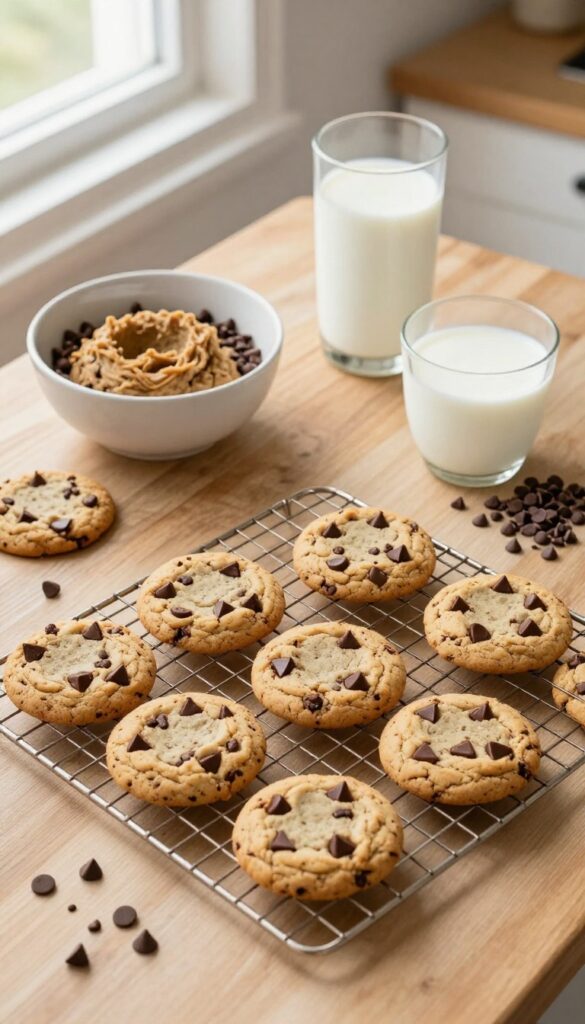
Food pins are among the most saved and shared on Pinterest. A recipe post that goes beyond basic instructions can attract serious engagement. By adding pro tips, substitutions, and serving suggestions, you turn a simple recipe into a resource people want to pin to multiple boards.
Start with a clear, easy-to-follow recipe. Then layer in practical advice that helps readers succeed and customize the dish.
Pro Tips For Perfect Results
Share insider tricks that prevent common mistakes. For example, if you're writing about chocolate chip cookies, explain why chilling the dough prevents spreading. These small details build trust and make your post a go-to reference.
Easy Substitutions
List swaps for dietary needs or pantry gaps. Include options like gluten-free flour blends, dairy-free milk, or egg replacements. This expands your audience and increases the chance of saves.
Serving Suggestions
Describe how to present or pair the dish. For a pasta recipe, suggest a side salad and wine pairing. For a dessert, recommend ice cream or fresh fruit.
These extras make the pin more versatile and pin-worthy.
10. Style or Outfit Ideas
Fashion is one of the most pinned categories on Pinterest, and for good reason—people love seeing how to wear pieces they already own or want to buy. A single outfit post can spark dozens of saves and clicks, especially if it shows real variety. The key is to go beyond just one look and give your audience multiple ways to style the same item or theme.
Showcase multiple ways to style a piece of clothing or create outfits for an occasion. Fashion boards thrive on visual inspiration, so each variation should feel distinct and shoppable. Include a mix of casual, work, and dressy options to cover different needs.
One Item, Five Ways
Pick a versatile piece like a white blazer, denim jacket, or little black dress. Show it styled for brunch, the office, date night, weekend errands, and a formal event. Use different accessories, shoes, and layers to transform the look.
This format is highly pin-friendly because it gives viewers multiple ideas in one image.
Seasonal Capsule Wardrobe
Curate a small collection of pieces that mix and match for an entire season. For example, a fall capsule with a trench coat, knit sweater, straight-leg jeans, ankle boots, and a silk scarf. Explain how to create 10+ outfits from just 5 items.
This appeals to minimalists and budget-conscious shoppers.
Outfit Formulas For Body Types
Not all trends work for every shape. Create guides like “Best jeans for pear shapes” or “Dresses that flatter an hourglass figure. ” Show three specific outfits per body type with clear labels. This builds trust and positions you as an inclusive, helpful resource.
11. Home Decor Styling Tips
Home decor is one of the most pinned categories on Pinterest, with users constantly looking for fresh ways to style their spaces. From cozy living rooms to minimalist bedrooms, practical advice on arranging furniture, choosing colors, or decorating a room can drive serious traffic. The key is offering specific, actionable tips that solve real problems—like how to make a small room feel bigger or which color palette works best for a north-facing room.
Focus on one room or one styling challenge per post. Break down the steps so readers can follow along easily. Use real-life examples and photos to illustrate your points.
Furniture Arrangement Hacks
Show readers how to arrange furniture for better flow and function. Cover tips like creating conversation areas, using rugs to define zones, and avoiding common layout mistakes. Include before-and-after examples if possible.
Color Palette Cheat Sheets
Provide curated color combinations for different moods—calm neutrals, bold accent walls, or earthy tones. Explain the 60-30-10 rule and suggest specific paint brands or hex codes. Visual swatches are a must for Pinterest.
Room-by-room Styling Guides
Dedicate posts to specific rooms: entryway, living room, bedroom, or home office. Offer styling tips like layering lighting, mixing textures, or adding greenery. Each guide should feel complete and actionable.
12. Travel Destination Guide
Travel planning is one of the biggest use cases on Pinterest. People flock to the platform to discover new places, gather itineraries, and save pins for future trips. A well-written destination guide can capture that high-intent traffic and keep your blog pinned for years.
Pick a city, region, or attraction you know well. Share the must-see spots, insider tips, and plenty of photos to make readers feel like they're already there. This kind of content performs especially well when you focus on practical details that help someone actually plan their visit.
Must-see Spots
List the top attractions but don't just name them. Explain why each one is worth visiting, how much time to budget, and any pro tips like the best time of day to go. Include a mix of famous landmarks and hidden gems to give your guide a unique edge.
Practical Tips For Travelers
Cover the nitty-gritty: best time to visit, how to get around, local customs, and safety tips. Also include money-saving hacks like discount passes or free activities. This section is what makes your guide genuinely useful for trip planning.
Where To Eat And Stay
Recommend a few restaurants and accommodations that fit different budgets. Highlight local cuisine you shouldn't miss and neighborhoods that offer the best experience. Personal favorites add authenticity and help readers trust your advice.
13. Printable or Downloadable Resource
People love freebies they can print and use immediately. A well-designed printable—like a weekly meal planner, budget tracker, or habit tracker—can rack up saves fast. The key is making it genuinely useful and visually appealing.
Once pinned, these resources often get shared widely because they solve a real problem.
Create a free printable that your audience can download and use right away. Think planners, checklists, worksheets, or templates. Make sure the design is clean and on-brand.
Offer it as a PDF download in exchange for an email, or simply link to it on your blog. Promote the pin with a clear image showing the printable in use.
What Makes A Printable Pin-worthy
The best printables are practical and beautiful. They should solve a specific pain point—like a cleaning schedule for busy moms or a goal-setting worksheet for entrepreneurs. Use high-quality graphics and a clean layout.
Show the printable in a real-life setting in your pin image so people can picture themselves using it.
Where To Share Your Printable
Post the pin to relevant boards and group boards in your niche. You can also share it in Pinterest communities, Facebook groups, or on Instagram with a link to your blog. Encourage others to pin it by adding a 'Save for later' call-to-action within your blog post.
How To Optimize For Virality
Use a vertical pin image (2: 3 ratio) with a clear, readable title. Add a subtle watermark with your blog name. Include keywords in the pin description and board names.
Update the printable seasonally or add new versions to keep the content fresh and re-pinnable.
14. Infographic or Data Visualization
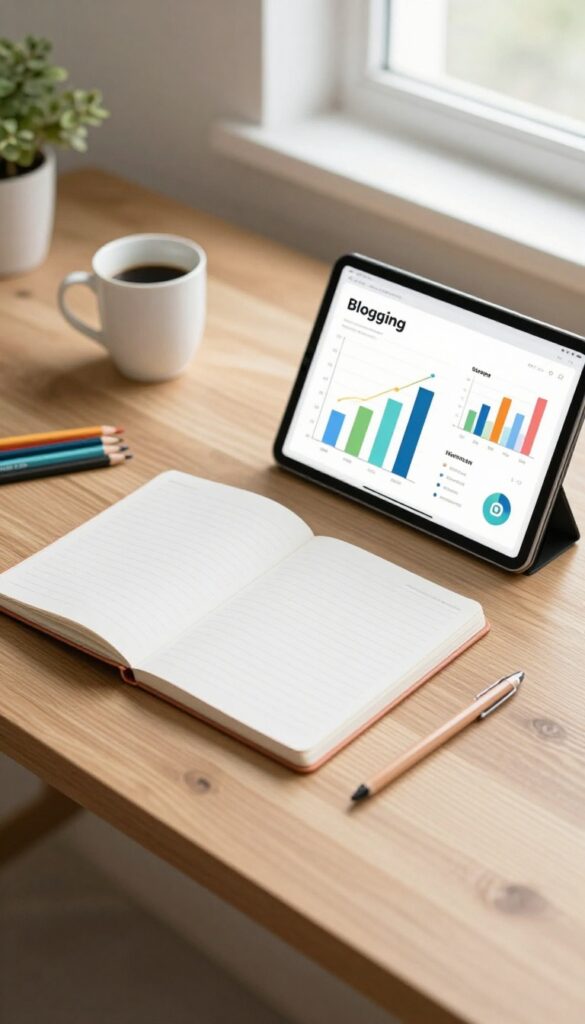
Numbers and processes stick better when they’re turned into a visual story. Infographics are tailor-made for Pinterest because the platform thrives on images that pack a punch. A well-designed infographic can get repinned for years, driving steady traffic back to your blog.
Think about the statistics or step-by-step workflows in your niche that would benefit from a visual breakdown. For example, a fitness blog could create an infographic showing the calorie burn of different exercises, while a finance blog might illustrate the path to debt freedom. The key is to make it scannable and shareable.
Pick A Data-rich Topic
Start with a topic that naturally lends itself to numbers or sequences. Survey results, industry trends, or how-to processes all work well. The more surprising or useful the data, the more likely people will pin it.
Design For Vertical Pinning
Pinterest favors tall images, so design your infographic with a 2: 3 aspect ratio. Use clear headings, icons, and a consistent color scheme. Keep text minimal—let the visuals do the heavy lifting.
Add A Blog Post Companion
Don’t just post the infographic alone. Write a supporting blog post that expands on the data or steps. This gives you more content to optimize for search and gives pinners a reason to click through.
15. Personal Story with a Lesson
Some of the most popular pins on Pinterest aren't polished tutorials—they're raw, honest stories that make people stop scrolling. When you share a real experience and the lesson it taught you, readers feel a connection. They save it because it resonates, not because it's perfect.
Think about a moment in your life that changed how you do something in your niche. Maybe you tried a new recipe that flopped, and it taught you why temperature matters. Or you made a budgeting mistake that led to a smarter system.
Write that story like you're telling a friend. Keep it specific—mention the emotions, the setting, the small details that make it real. Then wrap it with the clear takeaway.
On Pinterest, these pins often get saved to boards like "Life Lessons" or "Things I Wish I Knew. "
Find The Right Story
Not every experience makes a good pin. Pick a story that has a clear before-and-after. The lesson should be something your audience can apply.
If you're a food blogger, maybe a kitchen disaster that taught you a cooking hack. If you're a travel writer, a trip that went wrong and the packing tip that fixed it.
Structure The Pin
Your pin image should hint at the story without giving everything away. A photo of the actual moment (if you have one) works great. Otherwise, a simple image with a title like "What I Learned After My Worst Travel Day" can be enough.
The pin description should tease the lesson, not summarize the whole story.
Keep It Authentic
Don't over-polish the story. The whole point is that it's real. Use conversational language.
Admit your mistakes. Readers on Pinterest appreciate vulnerability—it makes them trust you. That trust leads to clicks, saves, and long-term loyalty.
16. Q&A or FAQ Post
People come to Pinterest looking for answers, not just pretty pictures. A well-structured FAQ post targets those exact questions and positions your content as the go-to resource. These posts are search-friendly and easy to pin, especially when you break them into clear, scannable sections.
Pick a topic where your audience frequently asks the same questions. Compile the most common ones and answer each in a concise, helpful way. Use headers for each question so readers can quickly find what they need.
Add a pinnable image for each major question or a single graphic summarizing the whole post.
Find The Right Questions
Start by mining comments on your blog, social media, or competitor posts. Use Pinterest search suggestions and tools like AnswerThePublic to discover what people are typing into search bars. Focus on questions that have clear, actionable answers.
Structure For Skimmability
Use a Q&A format with bold or header-style questions. Keep answers short—two to three sentences max. Add bullet points or numbered steps when helpful.
This makes your post easy to scan on mobile and perfect for pinning as a cheat sheet.
Optimize For Pinterest Search
Include the exact question phrases in your pin titles and descriptions. Create separate pins for individual questions or a roundup pin with a list of all questions. Use keyword-rich alt text for your images to boost discoverability.
17. Trend Forecast or Prediction
Trend content is a goldmine on Pinterest because people love to feel ahead of the curve. When you predict what's coming next in your niche, your pins get saved as a resource for future planning. This works especially well for fashion, home decor, wellness, and tech.
Why Predictions Work On Pinterest
Pinterest users are planners. They pin content weeks or months before they act on it. A trend forecast gives them a reason to save your pin now and come back later.
It also positions you as an authority who knows what's next.
How To Research Trends
Use Pinterest Trends tool, Google Trends, and industry reports. Look at what's rising in search volume on Pinterest. Combine that with your own expertise to make a specific prediction.
For example, in food blogging, you might predict that fermented ingredients will be big next summer.
Format Your Prediction Post
Create a list of 5–10 trends with a short explanation and a visual example for each. Use a clear pin title like '2025 Home Decor Trends: What's In and What's Out'. Add a timeline or a comparison image to make it pin-worthy.
18. Budget-Friendly Alternatives
Not everyone has a big budget to recreate the looks they see on Pinterest. That's exactly why budget-friendly alternatives are a hit—they show people how to get the same vibe for less. Whether it's home decor, fashion, or DIY projects, saving money never goes out of style.
These posts often get saved to budgeting and thrifty living boards, giving them long-term traction.
Show your audience how to achieve a high-end look without the high-end price tag. Focus on swaps, hacks, and smart shopping tips that make luxury feel accessible.
The Swap Mentality
Instead of a $200 designer vase, suggest a thrift store find with a coat of spray paint. The key is to identify the visual element that makes the expensive version appealing and replicate it cheaply. Break down the cost difference to make the savings obvious.
Diy Dupes
Walk readers through creating a knockoff of a popular item step by step. For example, a faux marble tray using contact paper and a plain serving platter. Include estimated costs and time so they know it's doable.
Where To Save Vs. Splurge
Not everything needs a cheap alternative. Help readers decide which items are worth investing in and which can be swapped without sacrificing quality. A simple checklist or rule of thumb works well here.
19. How to Choose the Right [Product/Service]
Buying decisions can feel overwhelming when there are dozens of options. A comparison-style post that walks readers through key factors helps them feel confident—and it ranks well for high-intent search terms. Think of it as a friendly guide that cuts through the noise.
Break down the decision into clear steps. Start by identifying the reader's core need, then compare features, price, and value. Use real examples or scenarios to illustrate what matters most.
End with a simple checklist or recommendation to make the choice easy.
Define Your Must-haves
Before comparing options, list the non-negotiable features. For a camera, that might be low-light performance or 4K video. For a skincare product, it could be fragrance-free or cruelty-free.
This filters out irrelevant choices fast.
Compare Price Vs. Long-term Value
Cheaper isn't always better. Show how to weigh upfront cost against durability, warranty, or subscription fees. A $50 tool that lasts five years beats a $20 one that breaks in six months.
Read Reviews The Right Way
Teach readers to spot fake reviews and focus on verified purchasers. Look for patterns in complaints—if multiple people mention the same flaw, it's real. Also, check for updates from the brand addressing common issues.
20. Inspirational Quote Collection
Quotes are a Pinterest powerhouse. They get saved at a higher rate than almost any other pin type because they tap into emotion and aspiration. People pin quotes to boards for motivation, self-care, or just to brighten their feed.
If you can pair a powerful quote with a beautiful design, you've got a recipe for viral reach.
Curating a quote collection around a specific theme—like resilience, creativity, or minimalism—gives you a focused angle. You can pull quotes from books, speeches, or even your own insights. The key is to choose quotes that resonate deeply with your audience's pain points or dreams.
Each pin becomes a tiny piece of inspiration they want to revisit.
Pick A Theme That Fits Your Niche
Don't just throw random quotes together. If you're in the productivity space, go for quotes about focus and discipline. In wellness, lean into self-love and mindfulness.
A tight theme makes your collection feel intentional and more likely to be saved as a complete board.
Design For Stop-and-scroll
Your quote pin needs to stand out in a busy feed. Use bold, readable fonts and high-contrast backgrounds. Add a subtle visual element like a soft gradient or a simple icon.
Keep the design clean so the message hits instantly. Vertical pins (2: 3 ratio) work best.
Write A Caption That Adds Context
Don't just drop the quote and leave. Explain why it matters or how it applies to your reader's life. A short personal take or a practical tip makes the pin more useful.
This also gives you more text for Pinterest's search algorithm to index.
21. Case Study or Success Story
Nothing builds trust like a real example. When you share exactly how you (or a client) achieved a specific result with data and step-by-step insights, readers save that post as a reference. Case studies are pin-friendly because they promise proof, not just theory.
Pick A Relatable Goal
Choose a result your audience actually wants—like growing email list by 500 subscribers in a month or doubling traffic from Pinterest. The more specific, the better.
Show The Numbers
Include before-and-after stats, screenshots of analytics, or a timeline. Hard data makes your story credible and pin-worthy. Readers love seeing what's possible.
Break Down The Process
Walk through the exact steps taken. What pins were created? What keywords targeted?
How often was content posted? This transforms your story into a reusable guide.
Highlight Key Takeaways
Summarize the main lessons learned. What worked, what didn't, and what you'd do differently. This gives readers actionable insights they can apply to their own projects.
22. Roundup of Expert Tips
Expert roundups are a win-win. You get a treasure trove of insights without doing all the research yourself, and the experts you feature are likely to share your post with their own followers. That means more eyes on your content and a nice boost in Pinterest traffic.
Plus, roundups naturally attract backlinks and social shares because everyone wants to show off their contribution.
The key is to ask questions that get specific, actionable answers. Don't just ask for general advice—prompt them for a tip that has worked well for their own Pinterest strategy. This makes the roundup more valuable and pin-worthy.
How To Find Experts
Start with people you already follow or admire in your niche. Reach out via email or social media with a friendly, personalized note. Explain what the roundup is about and how their tip will help your readers.
You can also use platforms like Help a Reporter Out (HARO) or relevant Facebook groups to find willing contributors.
Structuring The Roundup
Group tips by theme or keep them in a simple Q&A format. Include a short bio and link to each expert's site or Pinterest profile. Visual consistency matters—ask for a headshot or use a consistent template for quote graphics.
This makes the post scannable and shareable on Pinterest.
Promoting The Roundup
Once published, notify each expert and ask them to share. Create multiple Pinterest pins featuring different experts' quotes or a collage of their faces. Tag them when you pin, and encourage them to repin.
This network effect can multiply your reach significantly.
23. Checklist or To-Do List
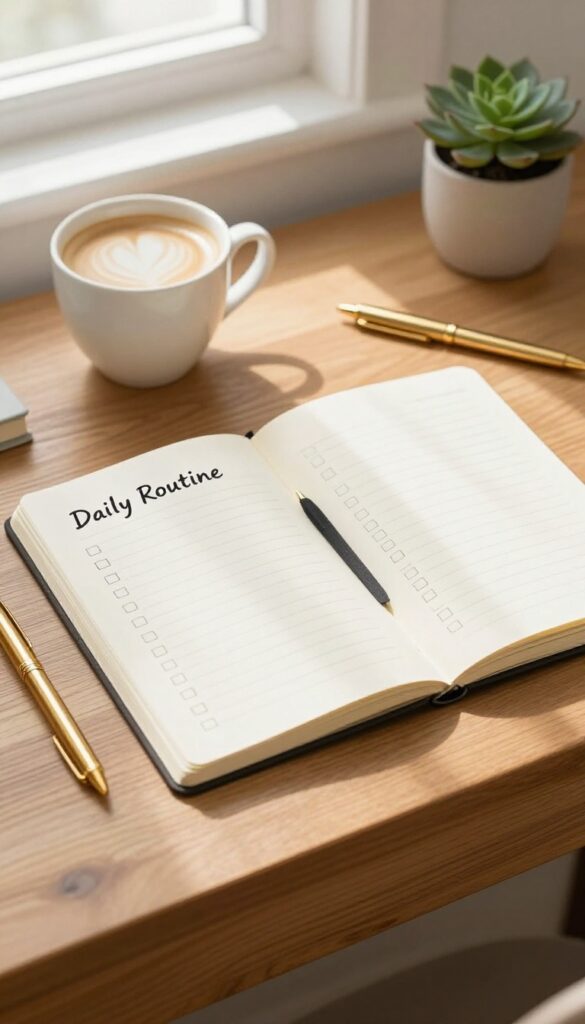
People love checking things off. A well-designed checklist gives them a clear path from start to finish, and it's one of the most pinned content types on Pinterest. Whether it's a daily routine, a project plan, or a seasonal prep list, checklists are practical, shareable, and often printed or saved for later.
Think about what your audience struggles to remember or organize. A step-by-step list that removes guesswork is pure gold. Plus, you can create a beautiful pin-worthy graphic that summarizes the checklist, making it super easy for others to save.
A checklist or to-do list blog post breaks down a complex task into manageable steps. It's not just a list—it's a guide that feels achievable. Your readers can follow along, check off each item, and feel a sense of accomplishment.
This format works across niches: from home cleaning schedules to travel packing lists, from meal prep plans to business launch steps. To make it Pinterest-friendly, design a vertical infographic-style pin that shows the checklist at a glance. Add your blog URL at the bottom so people can click through for more details.
The key is to keep it simple and visually appealing.
Break Down A Big Goal
Start with an overarching goal, then list the exact steps to achieve it. For example, 'How to Start a Vegetable Garden' could include steps like choose a location, test soil, pick seeds, prepare the bed, plant, water, and maintain. Each step becomes a checklist item.
This helps readers see the full picture without feeling overwhelmed.
Make It Printable
Checklists are often printed and stuck on fridges or bulletin boards. Offer a downloadable PDF version of your checklist. Include a clear call-to-action in your post, like 'Download the free printable checklist here. ' This adds value and encourages email sign-ups if you gate the download.
Add Pro Tips
Under each checklist item, include a short tip or note. For a 'Packing Checklist for Beach Vacation, ' under 'Sunscreen' you could write 'SPF 30+ and water-resistant. ' These small extras make your list more useful and trustworthy. They also give you more content for your pin descriptions.
FAQ
How many pins should I create per blog post?
Aim for at least 2-3 different pin designs per post to test what resonates. You can also create multiple pins highlighting different sections.
What image dimensions work best for Pinterest?
Vertical images with a 2: 3 aspect ratio (e. g. , 1000×1500 pixels) perform best. Tall pins take up more screen space and get more attention.
Should I use text overlay on my pins?
Yes, but keep it concise. A clear, bold title or benefit statement overlaid on the image helps users understand what the post is about at a glance.
How often should I publish new content for Pinterest traffic?
Consistency matters more than frequency. Aim for at least 1-2 high-quality posts per week, and pin your new content to relevant boards.
Do I need a Pinterest business account?
Yes, a business account gives you access to analytics, rich pins, and advertising features. It's free and essential for tracking performance.
Conclusion
You don't need to use all 23 ideas at once. Pick two or three that feel doable this week, test them, and see what sticks with your audience.
Pinterest rewards consistency, not perfection. Start pinning one strong idea today, and watch your traffic grow over time.
Free PDF Download
Not Sure Which Side Hustle Fits You Best?
Take the free Side Hustle Matchmaker Quiz and get a simple 7-day starter plan to help you choose a beginner-friendly idea based on your time, skills, comfort level, and goals.
You’ll get this free PDF plus access to the full Marketerna Save More & Earn More PDF Kit. No spam. Unsubscribe anytime.