23 Pinterest Traffic Tips for Bloggers
More traffic starts with smarter Pinterest strategies. The right approach can turn your pins into a steady stream of visitors, but most bloggers leave serious traffic on the table.
These 23 tips cut through the noise and focus on what actually moves the needle. From profile optimization to pin scheduling, each tactic is actionable and backed by real results.
Ready to see your referral numbers climb? Let's dive into the strategies that work.
Free PDF Download
Not Sure Which Side Hustle Fits You Best?
Take the free Side Hustle Matchmaker Quiz and get a simple 7-day starter plan to help you choose a beginner-friendly idea based on your time, skills, comfort level, and goals.
You’ll get this free PDF plus access to the full Marketerna Save More & Earn More PDF Kit. No spam. Unsubscribe anytime.
1. Optimize Your Profile for Search
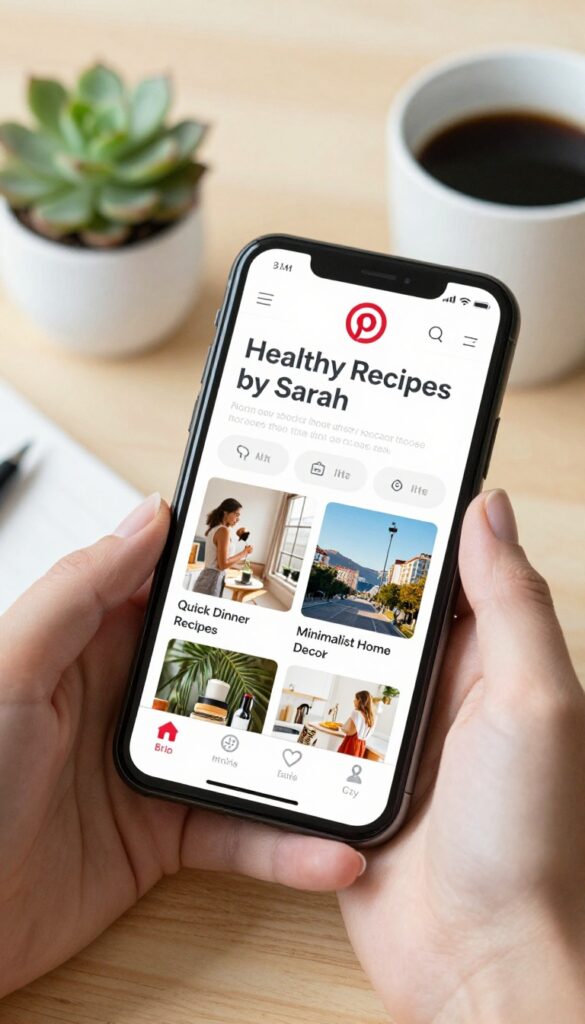
Your Pinterest profile is the first thing people see when they find you through search. If it's not optimized, you're making it hard for potential followers and traffic to discover you. A few simple tweaks can make a big difference in how often your profile shows up in relevant searches.
Start by including your main keyword in your display name. For example, if you're a food blogger, use something like "Healthy Recipes by Sarah" instead of just your name. Your bio should also include keywords that describe what you pin about, and don't forget to optimize your board names too.
Each board should have a clear, keyword-rich title that tells Pinterest exactly what it's about.
Display Name Matters
Your display name is one of the most searchable parts of your profile. Include a keyword that describes your niche, like "Travel Tips" or "DIY Projects. " This helps Pinterest understand what your account is about and boosts your chances of appearing in related searches.
Bio With Keywords
Your bio should be a short, keyword-rich description of what you offer. Use natural language but include terms your target audience might search for. For example, "I share easy vegan recipes and meal prep ideas" is better than just "Food blogger.
"
Board Names Are Key
Each board should have a descriptive name that includes relevant keywords. Instead of "My Favorites, " use "Quick Dinner Recipes" or "Minimalist Home Decor. " This helps your boards show up in search and makes it easier for users to find your content.
2. Create Vertical Pins with the Right Aspect Ratio
Pinterest is a visual platform, and the shape of your pin matters more than you might think. The platform’s feed is designed to favor tall, vertical images, so using the wrong dimensions can hide your content from potential visitors. Stick with a 2: 3 aspect ratio—like 1000×1500 pixels—to make your pins stand out.
This size takes up more screen real estate, which naturally draws the eye and boosts engagement.
When you upload a pin with the right aspect ratio, it fills the feed without being cut off or looking awkward. Pinterest itself recommends this ratio for best performance. It’s a small tweak that can lead to more saves and clicks.
Why 2:3 Works Best
The Pinterest feed is a vertical grid. Wider images get cropped or appear tiny, while square pins don’t use the available space well. A 2: 3 ratio—taller than wide—matches the feed’s natural flow, so your pin looks intentional and professional.
How To Set Up Your Templates
Create a custom template in Canva or Photoshop with 1000×1500 px dimensions. Save it as a preset so you don’t have to resize every time. This consistency saves time and ensures every pin you make is optimized from the start.
What About Mobile?
Most Pinterest users browse on their phones, where vertical pins dominate the screen. A 2: 3 pin fills the mobile view without requiring a zoom-out. That means your text and visuals are always readable, even on smaller screens.
Free PDF Download
Not Sure Which Side Hustle Fits You Best?
Take the free Side Hustle Matchmaker Quiz and get a simple 7-day starter plan to help you choose a beginner-friendly idea based on your time, skills, comfort level, and goals.
You’ll get this free PDF plus access to the full Marketerna Save More & Earn More PDF Kit. No spam. Unsubscribe anytime.
3. Write Keyword-Rich Pin Titles
Pin titles are one of the most overlooked ranking factors on Pinterest. Just like blog post titles, they help Pinterest understand what your pin is about and match it to user searches. A well-crafted title can be the difference between a pin that sits idle and one that drives steady traffic for months.
Don't just slap a generic description on your pin. Treat each title as a mini headline that includes your primary keyword naturally. This small tweak can significantly boost your pin's visibility in search results.
When you create a pin, the title field is prime real estate for keywords. Pinterest's algorithm scans titles to determine relevance, so including your target keyword early and naturally is key. Avoid keyword stuffing—write titles that sound human and compelling, not robotic.
For example, instead of "Easy Chocolate Chip Cookies Recipe, " try "Soft & Chewy Chocolate Chip Cookies – Easy Recipe. " Keep it under 100 characters so it displays fully in search results.
Start With Your Primary Keyword
Lead with the most important keyword you want to rank for. If your pin is about "vegan dinner ideas, " begin the title with that phrase. Pinterest places more weight on the first few words, so front-loading your keyword gives you a better chance of showing up in relevant searches.
Make It Clickable, Not Just Seo
A keyword-rich title still needs to entice clicks. Add a benefit or a hook—like "quick, " "easy, " or "best. " For instance, "10-Minute Vegan Dinner Ideas for Busy Weeknights" combines keywords with a promise of value.
Test different angles to see what resonates with your audience.
Use Long-tail Keywords For Less Competition
Instead of targeting broad terms like "recipes, " go for specific phrases like "gluten-free chocolate chip cookie recipe without butter. " Long-tail keywords have lower competition and attract users who are closer to taking action, like clicking through to your blog.
4. Use High-Quality, Eye-Catching Images
On Pinterest, your image is everything. It's the first thing people see as they scroll, and it determines whether they stop or keep moving. Blurry, dark, or cluttered photos get ignored.
Bright, clear, and visually appealing images grab attention and earn clicks. Investing in good photography or design tools pays off in more saves and traffic.
Invest In A Good Camera Or Smartphone
You don't need a professional DSLR. Modern smartphones take stunning photos. Focus on good lighting—natural light works best.
Avoid harsh shadows and overexposure. A simple lightbox or ring light can make a huge difference for flat lays and product shots.
Use Design Tools For Consistency
Canva and Adobe Express make it easy to create branded pins. Use consistent colors, fonts, and templates. This builds recognition and trust.
Add your logo subtly, but keep the focus on the image itself.
Optimize Image Dimensions
Pinterest recommends a 2: 3 aspect ratio (e. g. , 1000 x 1500 pixels). Vertical pins perform better because they take up more space in the feed. Make sure your images are high resolution and not pixelated when zoomed.
Free PDF Download
Not Sure Which Side Hustle Fits You Best?
Take the free Side Hustle Matchmaker Quiz and get a simple 7-day starter plan to help you choose a beginner-friendly idea based on your time, skills, comfort level, and goals.
You’ll get this free PDF plus access to the full Marketerna Save More & Earn More PDF Kit. No spam. Unsubscribe anytime.
5. Add Text Overlays That Pop

Text overlays are your secret weapon for stopping the scroll. On mobile screens, where most Pinterest browsing happens, tiny or low-contrast text just gets ignored. You need bold, readable fonts and color combinations that grab attention instantly.
The goal is to make your pin’s message clear even when someone glances at it for half a second.
Start with font choice: stick to sans-serif fonts like Montserrat, Lato, or Bebas Neue. They’re clean and legible at small sizes. Avoid script or thin fonts—they blur on mobile.
For colors, use high contrast. Dark text on a light background or white text on a dark background works best. Test your overlay by viewing it on your phone before publishing.
If you have to squint, it’s not bold enough.
Keep It Short And Punchy
Your overlay text should be a headline, not a paragraph. Aim for 4–8 words maximum. Use power words like “easy, ” “fast, ” “proven, ” or “ultimate” to spark curiosity.
For example, instead of “How to Grow Your Email List with Freebies, ” try “Grow Your List Fast with Freebies. ” Short text reads quickly and leaves room for your image to shine.
Use A Semi-transparent Background
A solid color block behind your text can make it pop, but it might hide your image. Instead, use a semi-transparent overlay (like a dark or light rectangle with 50% opacity). This keeps the image visible while ensuring your text remains readable.
You can also add a subtle drop shadow to the text for extra depth.
Match Your Brand Colors
Consistency builds recognition. Use your brand’s primary colors for text overlays so your pins are instantly recognizable. But don’t be afraid to use a contrasting accent color for the overlay background if your brand colors are too similar.
The key is readability first, branding second.
6. Leverage Pinterest SEO with Board Descriptions
Most bloggers focus on pin descriptions and titles, but board descriptions are an overlooked SEO opportunity. Pinterest uses board descriptions to understand the context of your content, which can help your pins show up in search. A few well-written sentences can make your boards more discoverable.
Treat each board description like a mini landing page. Include relevant keywords naturally, but avoid stuffing. Describe what the board is about and what kind of pins users can expect.
This helps Pinterest categorize your board and recommend it to the right audience.
Start With A Clear Topic Statement
Open your board description with a sentence that clearly states the board's focus. For example, 'A collection of easy vegan dinner recipes for busy weeknights. ' This tells Pinterest and users exactly what the board offers.
Add Secondary Keywords Naturally
After the main topic, weave in related terms. If your board is about vegan dinners, include words like 'plant-based, ' 'quick meals, ' or 'healthy eating. ' Don't overdo it—just a few well-placed phrases can boost SEO without sounding spammy.
Update Descriptions When You Add New Pins
As your board grows, its focus might shift. Revisit descriptions periodically to keep them accurate and keyword-rich. A board that started with 'beginner yoga poses' might later include 'advanced flows'—update the description to reflect that.
7. Pin Consistently Every Day
Consistency is one of Pinterest's top ranking signals. When you pin regularly, the algorithm learns to trust your account and shows your content to more users. It's not about pinning hundreds of pins at once, but showing up every single day with fresh, valuable content.
Aim to pin at least 5-10 fresh pins daily. Consistency signals to Pinterest that you're active and relevant. This steady activity helps your pins get indexed faster and appear in more feeds, leading to a gradual but reliable increase in traffic over time.
Why Daily Pinning Matters
Pinterest rewards accounts that pin daily with better visibility in search results and home feeds. Sporadic pinning can cause your reach to drop, while a consistent schedule builds momentum. Think of it like watering a plant – a little every day keeps it thriving.
How To Stay Consistent Without Burning Out
Use a scheduling tool like Tailwind to plan your pins in advance. Batch-create your pins once a week, then schedule them to go out daily. This way, you maintain consistency without logging into Pinterest every single day.
Start with 5 pins per day and increase as you get comfortable.
What To Pin Each Day
Mix your own content with curated pins from other creators. For your own pins, rotate between different blog posts and repurpose old content with new images or updated titles. For curated pins, share high-quality content that your audience would genuinely find useful.
A good ratio is 80% your own content and 20% curated.
8. Join Group Boards in Your Niche
Group boards are like having a built-in audience that already trusts the content shared there. When you pin to a group board, your content gets exposed to all the board's followers—not just your own. It's one of the fastest ways to get your pins in front of new eyes without starting from scratch.
Not all group boards are worth your time. Look for boards with consistent activity, engaged comment sections, and a clear niche focus. Avoid boards that are just a dumping ground for random pins.
When you find a good one, follow the rules, contribute your best content, and engage with other members' pins too.
How To Find Active Group Boards
Search Pinterest for keywords like "group board" plus your niche (e. g. , "food blog group board"). Check the board's last pin date—if it's been weeks, skip it. Look for boards with hundreds of followers and regular pinning from multiple contributors.
You can also ask in blogging communities or Facebook groups for recommendations.
Best Practices For Group Board Success
Always read and follow the board's rules. Many require you to follow the board owner and repin a certain number of pins. Pin your best content—not everything you have.
Engage with others by repinning and commenting. This builds relationships and increases the chances your pins will be seen.
When To Leave A Group Board
If a board starts getting spammy or low-quality pins, it's time to go. Also, if your analytics show that pins from a particular board aren't driving traffic, don't be afraid to remove yourself. Focus your energy on boards that consistently perform.
9. Use Rich Pins for Extra Information
Rich Pins are a Pinterest feature that automatically syncs information from your blog to your pins. Instead of manually updating pin details every time you change a title or description, Rich Pins pull that data directly from your site. This means your pins always show the most current article title, description, and author info—no extra work needed.
Enabling Rich Pins is straightforward. First, make sure your blog has the correct meta tags (Pinterest provides a validator to check). Then apply to Pinterest for Rich Pins approval.
Once approved, any new pin from your site will automatically include the updated metadata. This not only saves time but also ensures consistency across your pins, which can improve click-through rates.
How To Set Up Rich Pins On Your Blog
Start by adding Open Graph or Schema. org meta tags to your blog's HTML. If you use WordPress, plugins like Yoast SEO or Jetpack handle this automatically. Then, go to Pinterest's Rich Pins validator, enter your blog URL, and click Validate.
If everything looks good, click Apply Now. Pinterest will review and approve your site, usually within a few days.
Why Rich Pins Boost Your Traffic
Rich Pins make your content look more professional and trustworthy. When users see accurate, detailed information right on the pin, they're more likely to click through. Plus, because the data updates automatically, you avoid the risk of outdated titles or descriptions that could confuse readers.
Over time, this can lead to higher engagement and more consistent traffic from Pinterest.
10. Create Multiple Pins for Each Blog Post
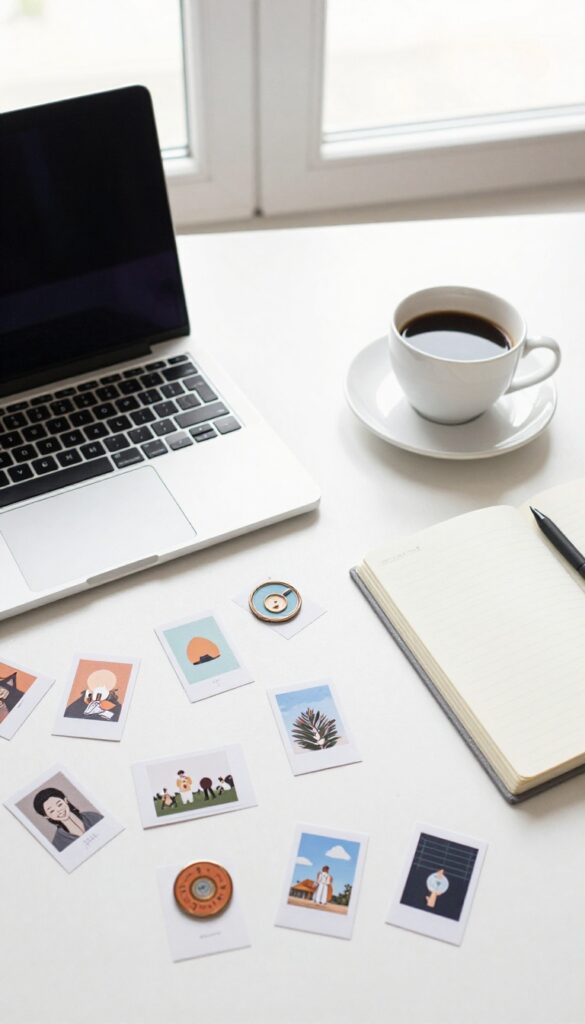
Posting the same pin over and over gets stale fast. Pinterest rewards fresh content, and your audience gets bored seeing the same image repeatedly. The fix?
Design 3–5 different pin variations for every blog post.
Each pin variation should test a different element—image style, text overlay, color scheme, or headline. This way, you learn what resonates without guessing. Over time, you'll have a library of proven pin designs that consistently drive traffic.
Test Different Formats
Try a vertical photo, a flat lay, a graphic with bold text, and a collage. Each format appeals to different visual preferences. Track which gets the most saves and clicks.
Vary Your Headlines
Write a few compelling headlines for the same post. One might be a question, another a list, and another a benefit-driven statement. Pinterest's algorithm treats each pin as unique, so you get multiple chances to rank.
Rotate And Refresh
Schedule your variations weeks apart to avoid spamming your followers. When a pin starts losing traction, swap in a fresh design. This keeps your content evergreen and your traffic steady.
11. Schedule Pins with a Tool Like Tailwind
Consistency is key on Pinterest, but manually pinning every day is a huge time sink. Scheduling tools let you maintain a steady presence without logging in constantly. Tailwind is the most popular option, and it comes with built-in analytics to show what's working.
Using a scheduler like Tailwind helps you batch your pinning in one sitting and spread pins out over days or weeks. This keeps your account active even when you're busy creating content or sleeping. Plus, Tailwind's SmartSchedule feature suggests optimal times based on when your audience is most active.
Batch Pinning Saves Hours
Instead of pinning a few times a day, set aside an hour once a week to schedule all your pins. Tailwind lets you upload images, write descriptions, and choose boards in bulk. You can also reuse and recycle old pins to keep them circulating.
Analytics Guide Your Strategy
Tailwind provides detailed stats on pin performance, including repins, clicks, and engagement. Use this data to see which pins resonate most and double down on similar content. The analytics also show your best posting times, so you can adjust your schedule for maximum reach.
Tailwind Tribes For Extra Reach
Tailwind includes a community feature called Tribes where you can share your pins with other bloggers in your niche. Each time you share someone else's pin, yours gets shared to their followers too. It's a simple way to amplify your reach without extra effort.
12. Analyze Your Pinterest Analytics Regularly
Pinterest Analytics isn't just a dashboard full of numbers—it's your roadmap to more traffic. When you know exactly which pins and boards are sending visitors to your blog, you can stop guessing and start optimizing. A quick weekly check can reveal patterns that save you time and boost your results.
Focus On Top-performing Pins
Head to your analytics and sort pins by clicks or outbound clicks. Look for pins that consistently drive traffic. These are your winners.
Create more pins in a similar style—same colors, fonts, or image type—and test them with fresh headlines. You can also repurpose top pins by updating the image or description and repinning them.
Spot Underperforming Boards
Not all boards are created equal. Check which boards generate the least engagement or traffic. If a board isn't pulling its weight, consider archiving it or changing its topic slightly.
Sometimes a board just needs a better description or a few high-quality pins to turn around.
Track Trends Over Time
Analytics trends matter more than single-day spikes. Look at your 30-day or 90-day view. Are certain topics gaining traction?
Is your overall traffic growing? If you see a dip, check if you paused pinning or changed your schedule. Use this data to plan your content calendar and double down on what's working.
13. Optimize for Mobile Users
Most Pinterest users browse on their phones. If your pins and landing pages aren't mobile-friendly, you're losing clicks. A smooth mobile experience keeps visitors on your site longer and signals to Pinterest that your content is worth promoting.
Use Large, Clear Text
Text on your pins should be readable without zooming. Stick to bold fonts and high contrast colors. Test your pins on a small screen before publishing.
Simplify Your Blog Layout
Make sure your blog loads fast on mobile and has a clean, single-column layout. Pop-ups that are hard to close can kill your traffic. Use responsive design and keep your key content above the fold.
Optimize Pin Dimensions For Mobile
Vertical pins (like 1000 x 1500 pixels) take up more screen space on mobile, making them stand out. Avoid square or horizontal pins for mobile-heavy audiences.
14. Use Fresh Pins Over Repins

Pinterest loves new content. Its algorithm gives fresh pins a visibility boost, while repins of old pins barely get any reach. If you want to keep your traffic flowing, you need to create fresh pins regularly—not just reshare what's already out there.
Fresh pins signal to Pinterest that you're active and providing new value. Repins, even of your own content, don't carry the same weight. Make it a habit to design new graphics, test different formats, or update old pins with new information.
This simple switch can dramatically improve your pin performance.
Why Fresh Pins Win
Every new pin you upload gets an initial surge of impressions as Pinterest tests it with users. If it performs well, that momentum continues. Repins skip that test phase and often get buried.
Fresh pins are your ticket to the algorithm's good graces.
How To Create Fresh Pins Efficiently
You don't need to start from scratch every time. Repurpose your top-performing blog posts by creating new pin designs with different colors, fonts, or layouts. Update the title or call-to-action.
Use tools like Canva to batch-create multiple variations quickly.
When To Repin Vs. Create Fresh
Repinning still has a place—it's great for filling your boards and keeping them active. But for driving traffic, prioritize fresh pins. Aim for at least 80% fresh pins and 20% repins.
That balance keeps your account healthy without losing the benefits of curation.
15. Write Descriptive Pin Descriptions with Keywords
A beautiful pin image might stop the scroll, but it's the description that seals the click. Pinterest treats descriptions as a key signal for what your pin is about, so writing them well can directly boost your reach. Think of your description as a mini sales pitch—clear, enticing, and packed with the right keywords.
Each pin description should be 2-3 sentences that tell users exactly what they'll get when they click. Naturally include relevant keywords without stuffing. Focus on the value: is it a recipe, a tutorial, a list of tips?
Make it easy for someone to know instantly if your content is worth their time.
Lead With The Benefit
Start your description with the main takeaway. For example, instead of 'Here is a blog post about meal prep, ' try 'Save hours in the kitchen with these 5 easy meal prep recipes. ' The benefit hooks the reader and signals relevance to Pinterest.
Use Keywords Naturally
Research keywords that your target audience searches for, then weave them into your description as you would in conversation. Avoid awkward lists. If your pin is about 'vegan dinner ideas, ' make sure those words appear in a natural sentence, not just dumped at the end.
Include A Call To Action
Encourage engagement by ending with a gentle nudge. Phrases like 'Save this pin for later' or 'Click to get the full guide' can increase click-through rates. Keep it simple and relevant to the pin's topic.
16. Create Boards Around Specific Topics
Broad boards like "Blogging Tips" or "Home Decor" are easy to set up, but they don't help you stand out. Niche-specific boards, on the other hand, target exactly what your audience is searching for. When you focus on a particular interest or problem, your pins show up in more relevant searches and attract people who are already looking for that content.
Instead of one giant board for all your recipes, create separate boards for "30-Minute Weeknight Dinners, " "Gluten-Free Desserts, " or "Healthy Meal Prep. " Each board becomes a mini resource that signals to Pinterest exactly what you offer. This boosts your chances of appearing in related searches and builds authority in that micro-niche.
How To Find The Right Niches
Look at your most popular pins and see what they have in common. Is there a pattern in the topics? Use Pinterest's search suggestions to uncover subtopics people are actively searching for.
For example, if you blog about gardening, boards like "Shade Garden Plants" or "Container Vegetable Gardening" can capture specific audiences.
Optimize Each Board For Search
Give each board a keyword-rich title and description. Use phrases your target audience would type into the search bar. Add relevant boards to your profile's featured section to guide visitors to your best content first.
Pin Consistently To Niche Boards
A niche board only works if it's active. Schedule pins regularly to keep the board fresh. Mix your own content with other high-quality pins in that niche to provide value and encourage engagement.
17. Engage with Other Pinners
Pinterest is a social platform, so treating it like a one-way broadcast channel misses the point. When you engage with other pinners—liking, commenting, and repinning their content—you build relationships that can lead to more visibility for your own pins. It's not just about being nice; it's a strategic move that signals to Pinterest that you're an active, valuable community member.
Engagement works because it puts your profile in front of new audiences. Every time you comment on a popular pin, the pin's owner and their followers might check out your profile. Plus, Pinterest's algorithm favors accounts that interact authentically.
But don't just spam generic comments—make them genuine and relevant to the pin.
Comment With Value
Leave thoughtful comments that add to the conversation. Instead of "Great pin! " try something like "I love how you styled this bookshelf—the mix of textures is inspiring.
" This shows you actually looked at the content and encourages the pinner to engage back.
Repin Strategically
Repinning from others isn't just about filling your boards. When you repin high-quality content from influencers in your niche, you associate your profile with theirs. It also helps you discover what resonates with your audience.
Aim to repin at least a few times a day from accounts you admire.
Join Group Boards
Group boards are engagement goldmines. Find active boards in your niche and request to join. Once you're in, engage with other contributors' pins regularly.
The board's collective audience will see your activity, driving traffic back to your profile.
18. Use Pinterest Trends to Find Popular Topics
Instead of guessing what your audience wants to see, let Pinterest tell you. The platform's Trends tool and search bar reveal exactly what people are searching for right now. That's a goldmine for content ideas that are almost guaranteed to get traction.
By tapping into trending topics, you align your content with current demand. This means your pins have a higher chance of being seen, clicked, and saved. Plus, it keeps your content fresh and relevant, which Pinterest rewards.
Check Pinterest Trends Weekly
Head to trends. pinterest. com and explore categories related to your niche. Look for rising terms with a significant increase in searches. For example, if you're a food blogger, you might spot "air fryer desserts" trending.
Create a pin and article around that topic while it's hot.
Use The Search Bar For Autocomplete
Type a broad keyword related to your niche into Pinterest's search bar. Don't hit enter yet. Instead, note the suggested phrases that appear.
These are popular searches people are making. For a travel blogger, typing "Europe" might suggest "Europe packing list" or "Europe budget tips"—both great content angles.
Analyze Seasonal Trends
Pinterest Trends also shows data over time. Use this to plan content months in advance. For instance, if you see "Christmas decorating" starting to rise in August, start creating and pinning your holiday content early to ride the wave.
19. Add a Pin It Button to Your Blog Images
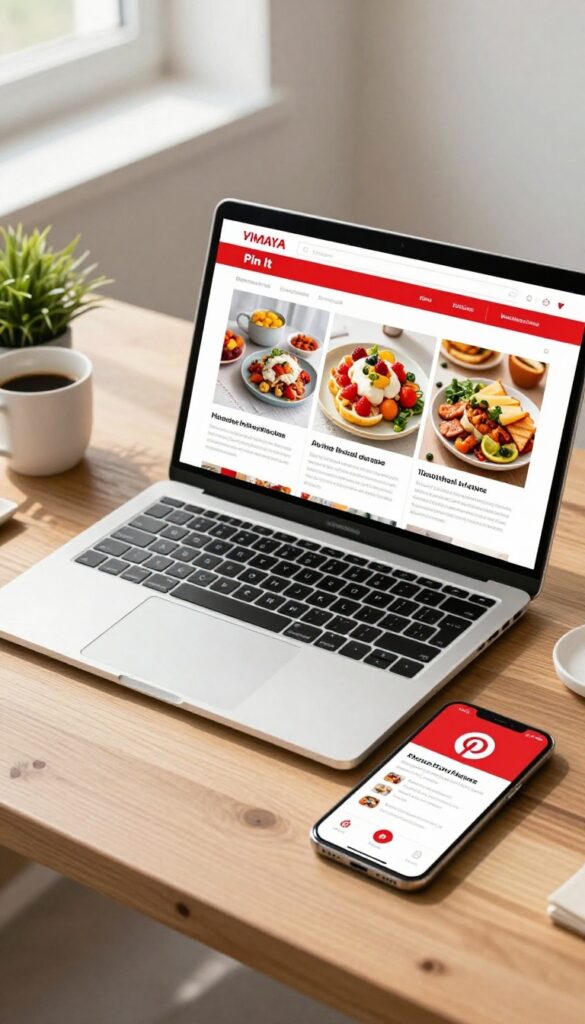
You've crafted gorgeous pinnable images, but if readers have to jump through hoops to pin them, most won't bother. A simple hover or click-to-pin button removes that friction and turns casual visitors into active pinners. It's a tiny addition that can seriously boost your pin volume and traffic.
Make pinning effortless by adding a Pin It button that appears when someone hovers over your images or clicks on them. This small tweak can increase pin saves by up to 50% because it eliminates the extra steps of opening Pinterest, copying the URL, and creating a pin manually. Most bloggers see a noticeable traffic bump within a few weeks of implementing it.
Hover Vs. Click-to-pin
Hover buttons appear automatically when a reader moves their mouse over an image—great for desktop users. Click-to-pin buttons work on both desktop and mobile, showing a small pin icon that triggers the pin dialog when tapped. For mobile-heavy traffic, click-to-pin is the better choice since hover doesn't work on touchscreens.
Where To Place The Button
The button should be large enough to notice but not obstructive. Common placements are the top-right corner or center of the image. Avoid covering important parts of the image.
Test different positions to see which gets the most clicks without annoying readers.
Tools To Add The Button
WordPress users can use plugins like Social Warfare, Grow by Mediavine, or DPSocialShare. For other platforms, consider Sumo, ShareThis, or custom JavaScript. Most plugins let you customize the button's appearance and choose which images get the button.
20. Test Different Pin Styles and Formats
Not every pin format works for every audience. Some people love a quick quote, others want a step-by-step visual guide. The only way to know what resonates is to test different styles and see what drives the most engagement and clicks.
Variety keeps your content fresh and helps you discover unexpected winners. A listicle pin might go viral while your infographics barely get noticed—or vice versa. Testing also signals to Pinterest that you're an active, versatile creator.
Infographics: The Evergreen Workhorse
Infographics pack a lot of value into one tall image. They're great for data, comparisons, or summarizing a process. If your niche is educational, infographics often get saved for reference.
Try creating one for a popular post and track how it performs against a standard image pin.
Step-by-step Guides: Visual How-tos
These are perfect for tutorials, recipes, DIY projects, or any multi-step process. Use numbered steps or arrows to guide the eye. People love pins that teach them something quickly.
A step-by-step pin can get high click-through rates because it promises a clear outcome.
Quotes And Text-overlays: Quick Inspiration
Sometimes a bold quote or a short, punchy tip is all it takes to stop the scroll. These pins work well for motivational content, productivity tips, or any niche where inspiration is key. Keep the text large and readable.
They're easy to create and can be a low-effort way to fill your pin schedule.
Listicles: The Classic Crowd-pleaser
Listicles are a staple for a reason—they promise a quick, organized read. A pin that says "10 Ways to Boost Email Open Rates" tells the user exactly what they'll get. Use a clean design with numbered items or bullet points.
They're especially effective for roundups, tips, and resource lists.
21. Use Video Pins for Higher Engagement
Video pins are taking over Pinterest, and for good reason. They grab attention fast and keep people watching longer than static images. If you're not using video yet, you're missing out on a huge opportunity to boost engagement and drive more traffic to your blog.
Short, helpful videos that preview your blog content work best. Think quick tutorials, behind-the-scenes clips, or before-and-after transformations. Keep them under 30 seconds and add text overlays for clarity.
Pinterest rewards video pins with higher reach, so start experimenting today.
Keep It Short And Sweet
Aim for 15 to 30 seconds. That's enough time to hook viewers and show the value of your blog post. Use a clear call to action at the end, like "Save this for later" or "Read the full guide on my blog.
"
Add Captions And Text Overlays
Many users watch without sound, so captions are essential. Use bold, readable text to highlight key points. Tools like Canva or InShot make it easy to add captions and overlay text that pops.
Showcase Your Blog Content
Your video should tease what readers will find on your blog. For example, if you're sharing a recipe, show a quick clip of the final dish and key steps. If it's a DIY project, film the transformation.
Make them curious enough to click through.
22. Collaborate with Other Bloggers
Pinterest rewards engagement and fresh content, but you don't have to create it all alone. Teaming up with other bloggers in your niche can double your reach without doubling your workload. Cross-promotion through joint boards, roundups, or shared content introduces your profile to a whole new audience that's already interested in what you offer.
Collaboration on Pinterest works best when both parties bring something to the table. A joint board lets you share each other's pins, giving your content exposure to their followers. Roundup posts where you feature multiple bloggers' content are another win-win—they get a backlink and social share, and you get curated, high-quality content for your audience.
Shared content could be as simple as co-creating a pin graphic or writing a guest post that links back to each other's Pinterest profiles.
Start With A Shared Board
Create a group board and invite bloggers who create complementary content. Agree on pinning rules—like how many pins per day and what types of pins are allowed. This keeps the board valuable for all followers and ensures steady traffic for everyone involved.
Run A Roundup Post
Roundups are a classic collaboration tool. Pick a theme (like "10 Best Healthy Breakfast Recipes"), reach out to bloggers for permission to feature their content, and create a single pinnable image that links to your roundup. Each featured blogger will likely share the post, sending their audience your way.
Co-create A Pin Or Resource
Work together on a freebie like a checklist or an ebook. Both bloggers promote it on Pinterest, and the lead magnet captures emails for both parties. This builds trust and authority while driving targeted traffic.
23. Stay Updated on Pinterest Algorithm Changes

Pinterest’s algorithm isn’t static. It shifts, sometimes subtly, sometimes drastically. Bloggers who ignore these updates often see their traffic dip without warning.
Staying in the loop helps you adapt quickly and keep your pins visible.
The algorithm rewards fresh, relevant content. When Pinterest tweaks what it prioritizes, your old strategies might stop working. Following trusted sources saves you from guesswork and wasted effort.
Follow The Official Pinterest Blog
Pinterest announces major changes on its business blog. Bookmark it and check weekly. They explain new features, ranking factors, and best practices.
It’s the most reliable source.
Join Blogger Communities
Other bloggers often spot algorithm shifts before official announcements. Facebook groups, Reddit threads, or Pinterest-focused forums share real-time experiences. You’ll learn what’s working now.
Monitor Your Analytics
Your own data reveals algorithm changes. If impressions or click-through rates suddenly drop, it might be an update. Compare week-over-week metrics to catch trends early.
FAQ
How often should I pin to get traffic?
Aim for at least 5-10 pins per day. Consistency matters more than volume, so use a scheduler if needed.
Do I need a business account for Pinterest traffic?
Yes, a business account gives you access to analytics, Rich Pins, and advertising features that are essential for growth.
What's the best pin size for Pinterest?
The ideal aspect ratio is 2: 3, such as 1000×1500 pixels. This size performs best in feeds.
How long does it take to see traffic from Pinterest?
It varies, but with consistent effort, many bloggers see noticeable traffic within 1-3 months.
Can I use Pinterest for free to get traffic?
Absolutely. While ads can accelerate results, organic strategies like SEO, fresh pins, and group boards can drive significant traffic without spending money.
Conclusion
These 23 Pinterest traffic tips give you a clear roadmap to grow your blog's reach. Start with the ones that feel easiest, then layer in more as you get comfortable.
The real magic happens when you consistently apply a handful of these strategies—your traffic will thank you.
Free PDF Download
Not Sure Which Side Hustle Fits You Best?
Take the free Side Hustle Matchmaker Quiz and get a simple 7-day starter plan to help you choose a beginner-friendly idea based on your time, skills, comfort level, and goals.
You’ll get this free PDF plus access to the full Marketerna Save More & Earn More PDF Kit. No spam. Unsubscribe anytime.