
17 Emergency Fund Tracker Ideas for Beginners
Starting an emergency fund is a smart move, but keeping tabs on your progress can feel like a chore. You don't need complicated tools or financial expertise to track your savings effectively.
A good tracker does more than just show numbers—it keeps you motivated and on course. The right method turns saving into a habit you actually look forward to.
Here are 17 beginner-friendly emergency fund tracker ideas that are practical, visual, and easy to stick with. Pick one that fits your style and start building your safety net today.

Free PDF Download
Not Sure Which Side Hustle Fits You Best?
Take the free Side Hustle Matchmaker Quiz and get a simple 7-day starter plan to help you choose a beginner-friendly idea based on your time, skills, comfort level, and goals.
You’ll get this free PDF plus access to the full Marketerna Save More & Earn More PDF Kit. No spam. Unsubscribe anytime.
1. The Classic Spreadsheet

Spreadsheets are the unsung heroes of personal finance. They give you total control over your data without forcing you into a rigid system. You can customize columns, add notes, and even color-code your progress.
Best of all, free templates are everywhere.
A simple spreadsheet lets you track every deposit and withdrawal with precision. Use columns for date, amount, and a running total. Many free templates in Google Sheets or Excel already have formulas built in, so your balance updates automatically.
Why It Works
Spreadsheets are flexible. You can add extra columns for categories like "windfall" or "interest earned. " If you're comfortable with formulas, you can even set up a progress bar that fills as you get closer to your goal.
Getting Started
Open Google Sheets or Excel and search for "emergency fund tracker template. " Pick one that looks clean. Start by entering your target amount, then add deposits as they happen.
Keep it open on your phone for quick updates.
Pro Tip
Add a column for the date you expect to hit your goal. Watching that date move closer is surprisingly motivating. You can also use conditional formatting to turn cells green as you reach milestones.
2. Bullet Journal Savings Tracker
If you love putting pen to paper, a bullet journal savings tracker might be your perfect match. It blends creativity with accountability, turning a simple savings goal into a visual masterpiece. You don't need to be an artist—just a ruler and a few colored pens will do.
The beauty of a bullet journal tracker is how flexible it is. You can design it to match your personality and update it daily. It becomes a small ritual that keeps your emergency fund top of mind without feeling like a chore.
Thermometer Tracker
Draw a large thermometer on your page. Mark increments along the side that represent your savings milestones. As you add money to your fund, color in the thermometer from the bottom up.
It's incredibly satisfying to watch the red line rise.
Grid Or Dot Tracker
Create a grid of 100 squares, each representing 1% of your goal. Color in a square for every percentage saved. You can use different colors for different months or sources of income.
It's a simple, clean way to see your progress at a glance.
Creative Variations
Try a road map where each checkpoint is a savings target, or a flower with petals that bloom as you save. The key is to make it personal so you look forward to updating it. Use stickers, washi tape, or doodles to keep it fun.
Free PDF Download
Not Sure Which Side Hustle Fits You Best?
Take the free Side Hustle Matchmaker Quiz and get a simple 7-day starter plan to help you choose a beginner-friendly idea based on your time, skills, comfort level, and goals.
You’ll get this free PDF plus access to the full Marketerna Save More & Earn More PDF Kit. No spam. Unsubscribe anytime.
3. Printable Savings Goal Chart
Sometimes the simplest tools work best. A printable savings goal chart turns your emergency fund into a visual journey. You don't need an app or a spreadsheet—just a piece of paper and a pen.
Each time you hit a savings milestone, you mark it off. That small act of checking a box can give you a surprising boost of motivation.
Print a chart that breaks your total goal into smaller, achievable steps. Maybe it's $50 increments or 10% milestones. Hang the chart somewhere you'll see it every day—on your fridge, above your desk, or inside your closet door.
The visual reminder keeps your goal front and center. When you see how far you've come, it's easier to keep going.
Design Your Own Chart
You don't need fancy software. Draw a simple grid on a piece of paper, or use a free template from Pinterest. Label each row with a dollar amount or percentage.
Leave a column for checkmarks or stickers. Personalize it with colors or doodles to make it feel like yours.
Make It A Daily Ritual
Set aside one minute each day to look at your chart. When you add money to your emergency fund, grab a marker and fill in the next milestone. This small habit reinforces your progress and builds momentum.
Over time, the chart becomes a visual diary of your saving journey.
Celebrate Milestones
Decide on small rewards for hitting key points—maybe a coffee treat or a movie night. The chart itself is motivating, but pairing it with a reward makes the process more enjoyable. Just make sure the reward doesn't drain your emergency fund.
4. Savings App with Push Notifications
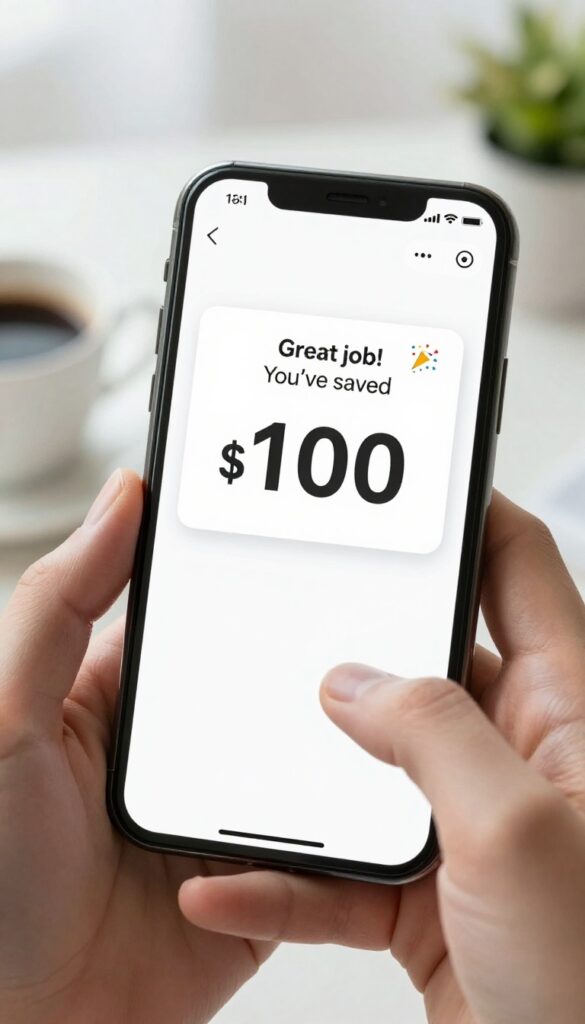
Automation takes the effort out of tracking. Apps like Qapital or Digit link to your bank account, round up purchases, or transfer small amounts on a schedule. They send push notifications when you hit milestones or when your balance dips below a goal.
It's a set-it-and-forget-it approach that keeps you aware without daily logins.
These apps are ideal if you want to save without thinking about it. You choose rules—like rounding up every coffee purchase to the nearest dollar—and the app does the rest. Notifications act as gentle nudges, celebrating progress or reminding you to adjust.
The key is picking one that syncs with your bank and feels intuitive.
How Automation Works
Once linked, the app analyzes your spending and transfers small amounts based on rules you set. For example, you can automate a $5 transfer every time you buy a latte. The app handles the math, and you get a notification when your fund grows.
Staying Motivated With Alerts
Push notifications turn saving into a game. You might get a cheerful ping when you hit $100 or a gentle reminder if you haven't saved in a week. This keeps the fund top of mind without requiring you to open a spreadsheet.
Choosing The Right App
Look for an app with low or no fees, strong security, and easy withdrawal options. Qapital offers goal-based savings jars, while Digit analyzes your income to find safe amounts to transfer. Read reviews to see which one feels right for your habits.
Free PDF Download
Not Sure Which Side Hustle Fits You Best?
Take the free Side Hustle Matchmaker Quiz and get a simple 7-day starter plan to help you choose a beginner-friendly idea based on your time, skills, comfort level, and goals.
You’ll get this free PDF plus access to the full Marketerna Save More & Earn More PDF Kit. No spam. Unsubscribe anytime.
5. The Envelope System for Savings
There's something deeply satisfying about watching a physical envelope get fatter. The envelope system for savings brings that tangible joy to your emergency fund. You take a plain envelope, write your savings goal on the front, and start stuffing it with cash.
No apps, no spreadsheets, no notifications—just you and your goal.
This method works because it makes your progress impossible to ignore. Every time you add money, you see and feel the envelope grow. That visual and tactile feedback keeps you motivated in a way that a digital number never can.
Plus, it's hard to spend cash that's earmarked for emergencies when it's sitting right there in an envelope.
Pick Your Envelope
Choose an envelope that feels good—maybe a bright color or one with a fun pattern. Write your target amount and a deadline on the front. Some people also add a photo of what the fund represents, like a house or a peace of mind.
Keep the envelope somewhere safe but visible, like in a drawer or on a desk.
Set A Cash Schedule
Decide how often you'll add cash. Weekly is great for momentum, but monthly works too. The key is consistency.
Even $10 a week adds up. Mark your calendar or set a phone reminder so you never forget your envelope date.
Track Without Overthinking
No need for complex tracking. Just count the cash every time you add some. You can jot the date and amount on the back of the envelope if you want, but it's not required.
The envelope itself is your tracker—simple and effective.
6. Digital Thermometer Graphic
A digital thermometer graphic turns your savings goal into a visual challenge you'll want to beat. Instead of staring at a spreadsheet, you watch the red line creep toward the top. It's simple, satisfying, and surprisingly addictive.
You can build this tracker in Canva or any basic image editor. Start with a blank thermometer outline, then fill it in as your balance grows. The key is updating it regularly—every time you add money, you see progress in real time.
Design Your Thermometer
Use Canva's free templates or create one from scratch with a rectangle and a circle at the bottom. Set a maximum savings target and mark increments along the side. Keep it clean so the fill level is obvious at a glance.
Update And Share
After each deposit, adjust the fill color to match your current balance. Post the updated graphic on social media or in a private group. Public accountability adds a gentle nudge to stay consistent.
Gamify The Process
Treat each fill milestone like a level-up. When you hit 25%, reward yourself with a small treat. At 50%, maybe a bigger one.
The visual progress makes the whole journey feel like a game you're winning.
7. Savings Jar with Labels
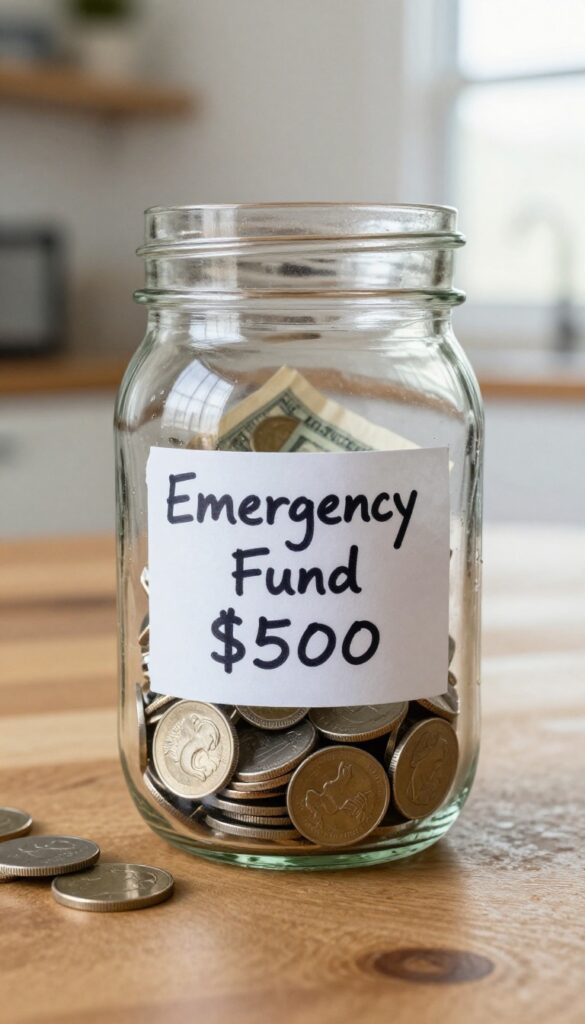
There's something almost magical about watching your savings grow in a clear glass jar. This method turns saving into a tangible, daily reminder of your progress. You don't need an app or a spreadsheet—just a jar, some labels, and a little discipline.
Grab a clean, clear jar—a mason jar or an old pasta sauce jar works perfectly. Write your emergency fund goal on a label and stick it on the outside. Then, every time you have spare change or can set aside a few dollars, drop it in.
The visual of coins and bills piling up is surprisingly motivating. You'll think twice before skipping a contribution because you'll see exactly what you're building.
Label Your Goal Clearly
Don't just write 'Emergency Fund. ' Be specific: 'Car Repair Fund: $500' or '3 Months of Rent: $3, 000. ' Seeing the target every day keeps you focused. You can even add a progress bar drawn on the jar to track how close you are.
Set A Recurring Drop-in Habit
Make it a routine. Drop in a set amount every Friday after payday, or toss in all your loose change at the end of each day. Consistency matters more than the amount.
Over time, those small deposits add up without feeling painful.
Use Multiple Jars For Different Goals
If you're saving for multiple things, use separate jars with distinct labels. One for emergencies, another for a vacation or a new gadget. This keeps your priorities clear and prevents you from dipping into your safety net for non-emergencies.
8. Bank Account Sub-Savings Account
Your bank might already have the perfect tracker built in. A sub-savings account is just a separate high-yield savings account you open specifically for emergencies. No extra apps, no spreadsheets—just a dedicated spot for your safety net.
Most banks let you nickname accounts, so you can label it "Emergency Fund" and watch it grow. The balance is always visible in your banking app, making tracking as simple as checking your phone.
Automatic Transfers
Set up a recurring transfer from your checking to this account right after payday. Even $25 a week adds up. You won't forget to save because the bank handles it.
Visual Progress In Your App
Your bank app shows the balance every time you log in. Some apps even let you set savings goals and track progress with a progress bar. No extra work needed.
Keep It Separate
Don't link this account to your debit card. Out of sight, out of mind. You'll only see it when you intentionally check, which reduces the temptation to dip in.
9. Habit Tracker Hybrid
What if your savings tracker doubled as a streak builder? That's the idea behind this hybrid approach. You combine a simple habit tracker with your emergency fund goal, turning each deposit into a small win you can see on a calendar.
Every day you save—even if it's just a few dollars—you mark an X on that day's square. Over time, the chain of X's grows, and your brain starts craving the streak. It's the same psychology that makes people keep Duolingo or gym streaks alive.
The visual momentum keeps you consistent without feeling like a chore.
Pick Your Tracker
You can use a paper calendar, a bullet journal, or a digital app like Habitica or Streaks. The key is to keep it visible—tape it to your fridge or set it as your phone wallpaper. The more you see it, the more you'll want to protect that streak.
Set A Minimum Deposit
To avoid burnout, set a low bar for what counts as a saving day. Maybe $5 or even $1. The goal isn't to drain your wallet—it's to build the habit.
On good days, you can save more, but the streak only cares about consistency.
Celebrate Milestones
When you hit 7, 14, or 30 days in a row, reward yourself with something small but meaningful—like a coffee treat or a movie night. The celebration reinforces the behavior and makes the next streak feel exciting.
10. The 52-Week Money Challenge Tracker
You've probably seen this challenge floating around social media, and for good reason—it's simple, structured, and surprisingly addictive. The idea is to save a little more each week, starting with $1 in week one and ending with $52 in week 52. By the end of the year, you'll have set aside $1, 378 without feeling a major pinch.
A pre-made checklist makes it easy to track your progress and stay motivated.
Grab a printable 52-week money challenge chart or create your own in a notebook. Each week, cross off the corresponding dollar amount after you've set that cash aside. You can reverse the order (start with $52 and work down) if you'd rather front-load the savings.
The key is consistency—marking off each week gives you a small sense of accomplishment that keeps you going.
Why It Works For Beginners
The gradual increase in savings amounts feels manageable. You're not asked to save a huge chunk right away, so it's easy to start. Plus, the visual act of crossing off weeks creates a streak you won't want to break.
How To Customize It
If $1, 378 isn't your goal, adjust the increments. You could save $0. 50 the first week and increase by $0.
50 each week, ending with $26 in week 52 for a total of $689. Or double it for a bigger challenge. The template is flexible—just keep the weekly increase consistent.
Tracking Tools
Print a free chart from Pinterest or use a digital version in a notes app. Some people even create a dedicated savings account and transfer the weekly amount automatically. Whichever method you choose, keep the checklist somewhere visible—like on your fridge or as a phone wallpaper.
11. Google Forms Self-Check-In

If you love spreadsheets and automation, this one's for you. A Google Form acts like a quick check-in for your savings. Each time you deposit, you fill out a simple form—date, amount, maybe a note.
The responses flow straight into a Google Sheet, where formulas can tally your total, show progress toward your goal, or even calculate how many weeks until you hit it.
The beauty is that you can check your progress anytime without manual math. Plus, you can customize the form to ask for a quick mood or motivation level, turning your tracker into a mini journal. It's perfect for data lovers who want to see patterns in their saving habits over time.
Set Up In Minutes
Create a new Google Form with fields for date and deposit amount. Add a dropdown for payment method or a checkbox for 'extra deposit. ' Link it to a Google Sheet and you're ready. The sheet auto-populates with timestamps, so you don't even have to enter the date.
Automate Your Totals
Use simple formulas in the sheet: =SUM to add up deposits, or =GOAL – SUM to see what's left. You can even set up conditional formatting—green cells when you're on track, red when you're behind. It's a live dashboard that updates every time you submit the form.
Add A Reward Tracker
Include a field for 'reward earned'—like a coffee or a movie night—when you hit mini milestones. This turns your tracker into a motivational tool. The sheet can tally rewards too, so you see the fun side of saving.
12. Vision Board with Progress Bar
A vision board turns your savings goal into something you can see every day. By adding a progress bar that you update monthly, you blend inspiration with clear tracking. It's like having a motivational poster that also tells you exactly how far you've come.
Start with a corkboard, poster board, or even a digital canvas. Gather images that represent your emergency fund goal—maybe a picture of a cozy home, a stress-free retirement, or a travel dream. Arrange them in the center or around the edges.
Then draw or attach a progress bar at the bottom or side. Each month, color in or move a marker to show your new savings total. This keeps your goal front and center while giving you a satisfying visual of your progress.
Make It Personal
Choose images that genuinely excite you. If an emergency fund means peace of mind, add calming photos. If it means freedom, use pictures of open roads or adventure.
The more personal, the more motivating.
Keep It Visible
Place your vision board where you'll see it daily—above your desk, on the fridge, or as your phone wallpaper. Frequent reminders reinforce your commitment and make you less likely to skip a savings contribution.
Update Monthly
Set a recurring reminder on your phone to update the progress bar on the same day each month. This ritual turns tracking into a habit. Watching the bar fill up is incredibly satisfying and keeps you going.
13. Savings Goal Widget on Phone
Your phone’s home screen is prime real estate—why not put your savings goal front and center? A widget from a savings app or a custom widget can show your target amount and current balance at a glance. Every time you unlock your phone, you get a quick, motivating reminder of what you’re working toward.
This idea turns your phone into a constant, gentle nudge. No need to open an app or dig through notifications—just a clear visual of your progress. It’s especially effective for visual learners who respond well to seeing numbers move closer to a goal.
Choose The Right App
Many savings apps like Qapital, Digit, or even simple budgeting apps offer customizable widgets. Look for one that lets you set a specific goal and displays both the target and current balance. Some even show a progress bar or percentage.
Customize Your Widget
If your app doesn’t have a widget, use a tool like Widgetsmith or Color Widgets to create a custom one. You can manually update the numbers or link it to a spreadsheet that auto-updates. Pick a color and design that feels encouraging, not cluttered.
Place It Strategically
Put the widget on your main home screen or the first page you see after unlocking. Avoid burying it in a folder or on a secondary screen. The whole point is to see it often—so make it unavoidable.
14. Whiteboard Savings Tracker
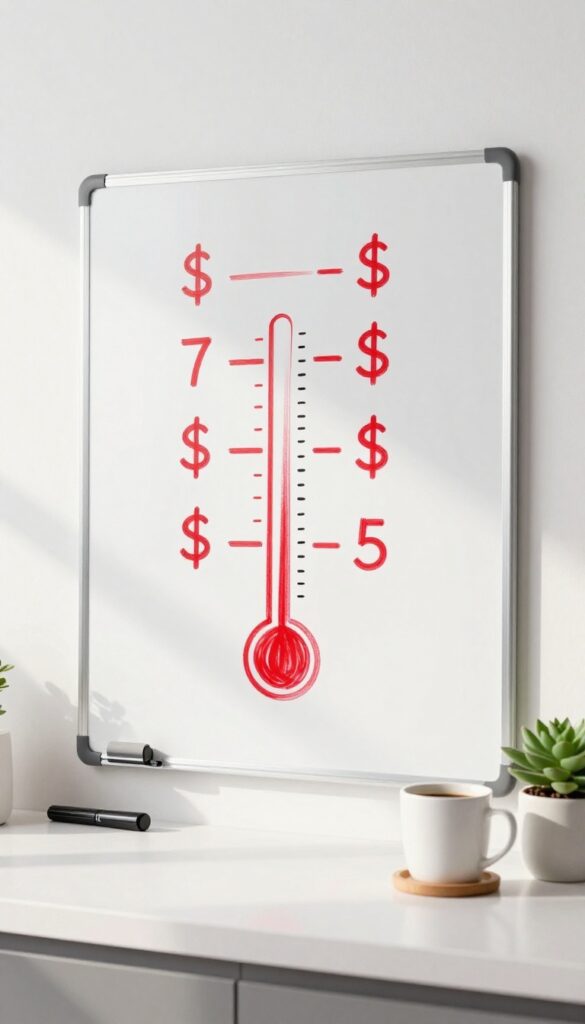
A whiteboard is one of the simplest tools to keep your savings goal in plain sight. No apps, no logins—just a marker and a little creativity. Draw a savings thermometer on a whiteboard and place it where you'll see it every day, like your home office or kitchen.
Each week, color in a little more as your fund grows. It's visual, satisfying, and keeps you motivated without any tech fuss.
This method works because it turns an abstract number into a tangible progress bar. You can customize it with your goal amount, milestones, or even fun drawings. The act of physically updating the board each week reinforces your commitment and makes saving feel like a game.
How To Set It Up
Grab a whiteboard, a ruler, and a set of markers. Draw a large vertical thermometer shape, marking increments that match your savings goal—say every $100 or $500. Label the top with your target amount.
Each week, fill in the section that corresponds to how much you've saved. Use a bright color for the filled portion to make progress pop.
Where To Place It
Put the whiteboard somewhere you pass multiple times a day. The kitchen is great—you'll see it while making coffee or cooking. A home office wall works too, especially if you work from home.
Avoid hiding it in a closet or spare room; the whole point is constant visibility.
Keeping It Fresh
To avoid boredom, change up the design every month. Instead of a thermometer, try a progress bar, a staircase, or even a puzzle where each piece represents a certain amount. You can also add motivational quotes or stickers as you hit milestones.
The key is to make updating the board something you look forward to.
15. Spreadsheet with Conditional Formatting
Spreadsheets are powerful, but they don't have to be intimidating. With conditional formatting, your savings progress becomes a visual game. Set up rules that automatically change cell colors based on your balance—green when you're ahead, red when you're behind.
It's like having a traffic light for your finances.
Conditional formatting turns raw numbers into instant feedback. You can apply it to a simple table with columns for date, deposit, and running total. The color changes happen automatically, so you always know where you stand without crunching numbers.
Setting Up Your Spreadsheet
Open Google Sheets or Excel and create columns for Date, Deposit, and Running Total. In the Running Total column, apply a conditional formatting rule: if the value is equal to or greater than your goal, fill the cell green. If it's less than 50% of your goal, make it red.
For anything in between, use yellow.
Milestone Celebrations
Add extra rules for milestones like 25%, 50%, and 75%. When you hit each one, the cell can turn a different color or even show a small icon. This adds a fun reward system that keeps you motivated.
Tracking Weekly Progress
Include a row that calculates your weekly deposit average. Use conditional formatting to highlight weeks where you deposited above your target. Seeing a streak of green weeks is incredibly satisfying.
16. Savings Bingo Card
Turn your emergency fund journey into a game with a savings bingo card. Each square represents a small savings amount or a milestone, like hitting $100 or going a week without unnecessary spending. As you check off squares, you inch closer to a bingo—and that sense of accomplishment keeps you going.
How To Make Your Card
Grab a blank bingo grid—5×5 works well. Fill each square with a savings target that fits your budget, like $20, $50, or $100. You can also add action-based squares like "skip takeout for a week" or "sell one unused item.
" Mix and match amounts and actions to keep it interesting.
Play Your Way
Set a timeframe, say one month or three months. Each time you hit a target, mark that square. Aim for a line—horizontal, vertical, or diagonal—to call bingo.
Reward yourself with a small treat (under $10) when you get one. The game makes saving feel less like a chore and more like a challenge.
Level Up The Fun
For extra motivation, create multiple bingo cards with different themes. One card could focus on quick wins (small amounts), another on big milestones. You could even compete with a friend or family member to see who gets bingo first.
Just keep the stakes friendly and the focus on building your fund.
17. Automated Email or SMS Updates

Sometimes the best way to track your emergency fund is to let technology do the work for you. Automated email or text updates keep you informed without you having to check a spreadsheet or app. It's a low-effort, high-consistency method that works well for beginners who want to stay on top of their savings without extra screen time.
Set up a recurring email or text to yourself with your current balance. Use a free service like IFTTT to automate. Simple and low-tech.
Set It And Forget It
Use a free automation tool like IFTTT or Zapier to send yourself a weekly email or SMS with your current savings balance. Link it to your bank account or a simple spreadsheet—once it's set up, you don't have to think about it again.
Choose Your Frequency
Pick a cadence that keeps you motivated without overwhelming you. Weekly updates are great for staying on track, while monthly updates are less intrusive. You can always adjust later.
Make It Personal
Add a short encouraging message to your automated update, like "You're doing great! " or "Keep going! " This small touch can boost your motivation and make the update feel less robotic.
FAQ
How much should I save in my emergency fund?
A common rule is 3 to 6 months of living expenses. Start with a smaller goal like $1, 000 and build from there.
What's the best tracker for someone who hates spreadsheets?
Try a visual method like a savings jar or a printable chart. They require minimal setup and feel more like a game.
Can I use multiple trackers at once?
Yes, but keep it simple. Using one main tracker plus a secondary visual reminder (like a jar) can work well without becoming overwhelming.
How often should I update my tracker?
Weekly updates are ideal for most people. Daily might be too frequent, while monthly can feel disconnected. Find a rhythm that keeps you engaged.
What if I miss a week of saving?
Don't stress. Just pick up where you left off. The tracker is a tool to help, not a strict rule.
Consistency over time matters more than perfection.
Conclusion
Building an emergency fund doesn't have to be overwhelming. Start with just one tracking method from this list—maybe the envelope system or a simple spreadsheet—and use it for a month. That small step gives you clarity and control.
Before you know it, you'll have a solid savings habit and real peace of mind. Pick your favorite idea and begin today.
Free PDF Download
Not Sure Which Side Hustle Fits You Best?
Take the free Side Hustle Matchmaker Quiz and get a simple 7-day starter plan to help you choose a beginner-friendly idea based on your time, skills, comfort level, and goals.
You’ll get this free PDF plus access to the full Marketerna Save More & Earn More PDF Kit. No spam. Unsubscribe anytime.