
17 SEO Tools New Bloggers Can Learn
Starting a blog is exciting, but getting people to actually read it takes more than good writing. SEO can feel overwhelming when you're new, especially with so many tools out there.
The good news is you don't need a big budget or years of experience to use them. Many powerful tools are free or have generous free tiers.
This list covers 17 SEO tools that are beginner-friendly, practical, and genuinely useful. Each one helps with a different part of the SEO puzzle, so you can pick what fits your needs right now.

Free PDF Download
Not Sure Which Side Hustle Fits You Best?
Take the free Side Hustle Matchmaker Quiz and get a simple 7-day starter plan to help you choose a beginner-friendly idea based on your time, skills, comfort level, and goals.
You’ll get this free PDF plus access to the full Marketerna Save More & Earn More PDF Kit. No spam. Unsubscribe anytime.
1. Google Search Console
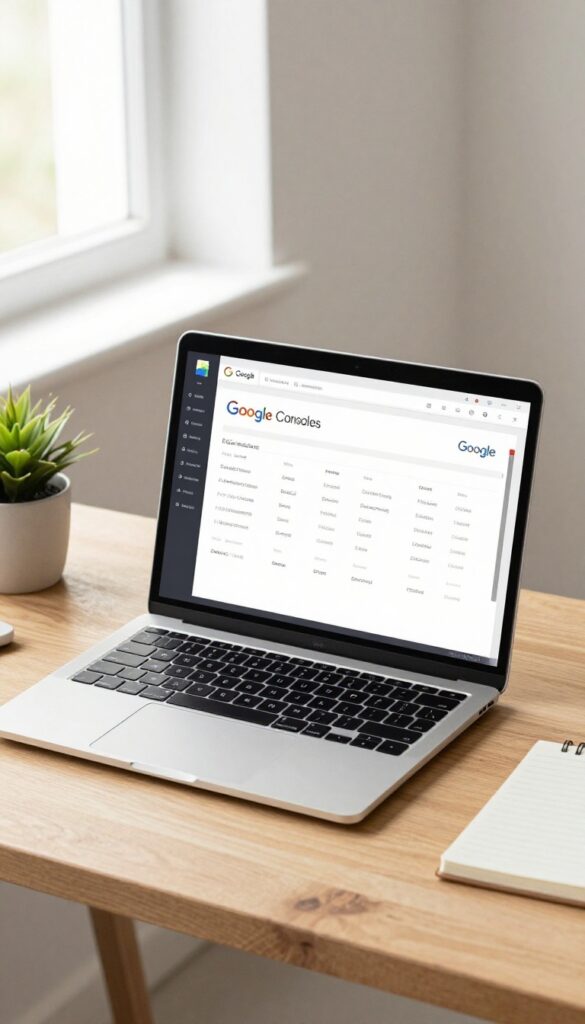
Every blogger needs to know how their site is doing in search. Google Search Console gives you a direct line to Google's view of your blog. It shows which queries bring people to your site, how often your pages appear in results, and whether Google can properly crawl your content.
Best of all, it's completely free.
Google Search Console is a must-have for any new blogger. It helps you understand your site's search performance and fix problems before they hurt your traffic. You'll see exactly which keywords are working and which pages need improvement.
Track Your Search Performance
The Performance report shows total clicks, impressions, average click-through rate, and average position for your site. You can filter by page, query, country, or device. This data tells you what content resonates with your audience and where to focus your efforts.
Fix Indexing Issues
The Indexing section shows which pages Google has successfully added to its index and which ones have errors. You can request indexing for new or updated pages, and see why certain pages might be excluded. This ensures your best content gets found.
Monitor And Improve Core Web Vitals
Google Search Console includes a Core Web Vitals report that highlights pages with poor loading performance, interactivity, or visual stability. Since page experience is a ranking factor, this helps you identify and fix speed or usability issues that could be hurting your rankings.
2. Google Analytics
If you're serious about growing your blog, you need to know what's working and what's not. Google Analytics gives you that insight for free. It shows you exactly how people find your site, which pages they visit, and what they do once they're there.
No guesswork, just real data.
Google Analytics is the industry standard for tracking website traffic. It's completely free and integrates easily with most blogging platforms. Once set up, you can see which blog posts attract the most visitors, where your traffic comes from (search engines, social media, or direct links), and how long people stay on your site.
This data helps you focus on what's working and improve what isn't.
Set Up Your Account
Creating a Google Analytics account is straightforward. Sign up with your Google account, add your website URL, and copy a small tracking code into your site's header. Most blogging platforms like WordPress have plugins that handle this for you.
Once the code is live, Analytics starts collecting data immediately.
Key Metrics For Beginners
Don't get overwhelmed by all the numbers. Start with three key metrics: pageviews (how many times a page is viewed), average session duration (how long people stay), and bounce rate (percentage of visitors who leave after one page). These tell you if your content is engaging and if you're attracting the right audience.
Use Reports To Improve Content
The Behavior report shows your most popular pages. Look for patterns—what topics, formats, or headlines get the most views. Then create more of that.
The Acquisition report reveals which channels drive traffic. If search engines send the most visitors, double down on SEO. If social media is strong, share more there.
Free PDF Download
Not Sure Which Side Hustle Fits You Best?
Take the free Side Hustle Matchmaker Quiz and get a simple 7-day starter plan to help you choose a beginner-friendly idea based on your time, skills, comfort level, and goals.
You’ll get this free PDF plus access to the full Marketerna Save More & Earn More PDF Kit. No spam. Unsubscribe anytime.
3. Ubersuggest
Ubersuggest is a solid all-in-one tool that covers keyword research, content ideas, and site audits. Neil Patel's brainchild is particularly beginner-friendly because the free version gives you a lot of data without pushing you to upgrade right away. If you're just starting out and want to understand what people are searching for, this is a great place to begin.
Keyword Research Made Simple
Type in a broad topic, and Ubersuggest returns a list of related keywords along with search volume, SEO difficulty, and cost-per-click data. You can filter by country and see which questions people are asking. This helps you find low-competition keywords that a new blog can actually rank for.
Content Ideas From Top Performers
The tool also shows you the most popular content for any keyword. You can see the estimated visits, backlinks, and social shares of competing articles. That gives you a clear idea of what's working in your niche and what angle you might take to create something better.
Site Audit For Beginners
Ubersuggest includes a basic site audit feature that checks for common SEO issues like broken links, missing meta tags, and slow page speed. The reports are easy to read and come with actionable fixes. It's not as deep as some paid tools, but for a new blogger, it's more than enough to clean up your site.
4. AnswerThePublic

Ever wonder what people are actually typing into Google when they search for your topic? AnswerThePublic turns that curiosity into a goldmine of content ideas. It visualizes search queries as a web of questions, prepositions, and comparisons, giving you a direct look at your audience's curiosity.
This tool is perfect for finding long-tail keywords and understanding the exact language your readers use. Instead of guessing what to write, you see real questions people are asking—and you can answer them directly in your posts.
Uncover Hidden Questions
Type in a broad topic like "vegan recipes" and AnswerThePublic returns hundreds of questions: "Why vegan recipes fail? " or "How to make vegan recipes creamy? " Each question is a ready-made blog post idea that targets a specific search intent.
Find Prepositional Phrases
Beyond questions, the tool groups queries by prepositions like "with, " "for, " and "without. " These can inspire comparison posts or listicles—think "Vegan recipes with tofu" or "Vegan recipes without oil. "
Use Data For Seo Strategy
Take the most popular questions and use them as H2s in your articles. This directly matches what searchers want and can boost your chances of ranking for those exact queries. Plus, it keeps your content focused on reader needs.
Free PDF Download
Not Sure Which Side Hustle Fits You Best?
Take the free Side Hustle Matchmaker Quiz and get a simple 7-day starter plan to help you choose a beginner-friendly idea based on your time, skills, comfort level, and goals.
You’ll get this free PDF plus access to the full Marketerna Save More & Earn More PDF Kit. No spam. Unsubscribe anytime.
5. Yoast SEO
If you're using WordPress, Yoast SEO is practically a must-have. It's like having an SEO coach right inside your editor, guiding you through each post and page. The free version alone covers the essentials: meta titles, meta descriptions, focus keywords, readability checks, and XML sitemaps.
No complicated dashboards or steep learning curves.
Yoast SEO simplifies on-page optimization so you don't have to guess what Google wants. It analyzes your content in real time and gives you a traffic light rating (red, orange, green) for both SEO and readability. You'll know exactly what to tweak, whether it's adding more internal links, using your keyword in the first paragraph, or breaking up long sentences.
Plus, it automatically generates an XML sitemap and handles technical stuff like canonical URLs and breadcrumbs.
Focus Keyword Analysis
Pick one main keyword for each post, and Yoast checks how well you've used it. It looks at the title, meta description, headings, body text, image alt text, and URL. If something's missing, it tells you in plain English.
No SEO jargon, just actionable suggestions.
Readability Check
Good SEO starts with content people actually want to read. Yoast scores your writing on readability factors like sentence length, paragraph length, passive voice, and transition words. It's like a friendly editor that helps you write clearer, more engaging posts.
Automatic Sitemaps & More
Yoast automatically creates an XML sitemap and submits it to search engines. It also handles meta robots tags, canonical URLs, and social media previews. You get a solid technical SEO foundation without touching a line of code.
6. Rank Math
Rank Math is another powerful WordPress SEO plugin that's quickly gained a loyal following. Its setup wizard is incredibly user-friendly, making it easy for beginners to get started without feeling overwhelmed. Plus, it packs advanced features like schema markup and keyword tracking that you'd normally expect from premium tools.
Rank Math offers a clean interface and a wealth of features that simplify SEO for new bloggers. It helps you optimize your content with real-time suggestions, manage redirections, and even integrate with Google Search Console directly from your dashboard.
Easy Setup Wizard
When you first install Rank Math, a step-by-step wizard guides you through configuring your site's SEO settings. It asks about your site type, social profiles, and preferred modules, so you're set up in minutes without touching complex options.
Built-in Keyword Tracking
Rank Math includes a keyword rank tracker that lets you monitor how your posts perform in search results. You can add up to 100 keywords for free and see your rankings over time, which is a huge help for tracking progress.
Advanced Schema Markup
Schema markup helps search engines understand your content better, and Rank Math makes it easy to add. It supports over 20 schema types, including articles, recipes, and FAQs, so your posts can show up with rich snippets in search results.
7. Ahrefs Webmaster Tools

Ahrefs is a big name in SEO, and their paid tools are expensive. But they offer a free version called Ahrefs Webmaster Tools that's surprisingly powerful. It gives you a peek into your site's health, your backlink profile, and even keyword data.
Perfect for beginners who want professional insights without the price tag.
Ahrefs Webmaster Tools is completely free and gives you access to site audit, backlink analysis, and keyword research. It's a great way to get started with SEO without spending money.
Site Audit For Beginners
The site audit feature scans your blog and finds technical SEO issues. Things like broken links, missing meta tags, or slow pages. It gives you a clear report with actionable fixes.
You don't need to be a tech expert to understand it.
Backlink Profile Check
Backlinks are important for SEO, but tracking them can be tricky. Ahrefs Webmaster Tools shows you who's linking to your site, the quality of those links, and any toxic ones you might want to disavow. It's a simple way to keep an eye on your link health.
Keyword Research On A Budget
You can see which keywords your site already ranks for and get ideas for new ones. The tool shows search volume, difficulty, and click potential. Even the free version gives you enough data to start optimizing your content.
8. SEMrush (Free Trial)
SEMrush is a heavyweight in the SEO world, and while its paid plans are pricey, the free trial gives you a real taste of what it can do. Think of it as a Swiss Army knife for SEO — keyword research, competitor analysis, site audits, and more are all packed in. For a new blogger, that trial period is a golden opportunity to explore advanced features without spending a dime.
Keyword Research On Steroids
SEMrush’s Keyword Magic Tool is a dream for finding low-competition gems. Type in a broad topic, and it spits out hundreds of related keywords with search volume, trend data, and keyword difficulty scores. You can filter by question-based queries or long-tail phrases — perfect for blog posts that actually get searched.
Spy On Competitors (legally)
One of SEMrush’s coolest features is the Domain Analytics tool. Plug in a competitor’s URL, and you’ll see their top organic keywords, estimated traffic, and even their best-performing pages. It’s like peeking at their playbook — use it to find content gaps and topics they’re ranking for that you haven’t covered yet.
Site Health Check In Minutes
The Site Audit tool crawls your blog and flags technical issues like broken links, slow pages, or missing meta tags. For a new blogger, this is huge — you can fix problems before they hurt your rankings. The free trial gives you one full audit, which is enough to clean up your site and set a solid foundation.
9. MozBar
When you're researching backlinks or checking out competitors, you need quick data without leaving the page. MozBar is a free browser extension that puts domain authority and page metrics right in your toolbar. It's like having a mini SEO audit tool that works as you browse.
MozBar is a free Chrome and Firefox extension that shows you key SEO metrics for any page you visit. It's especially useful for evaluating link opportunities because you can instantly see a site's domain authority, page authority, and spam score. Just hover over any link to see its metrics, making it easy to decide if a site is worth pursuing for a guest post or backlink.
Instant Metrics At A Glance
Once installed, MozBar adds a toolbar that displays the domain authority and page authority of the current page. You can also toggle options to see link metrics, page elements, and even highlight nofollow links. It's a quick way to assess any site's credibility without opening multiple tabs.
Smart Link Analysis
Click the toolbar icon to get a detailed breakdown of the page's backlinks, including their authority and anchor text. This helps you spot toxic links or find high-quality sites to target. The spam score indicator is a lifesaver for avoiding shady link exchanges.
Customizable Search Results
MozBar can overlay SEO metrics directly on Google search results, so you see domain authority and page authority for each listing. This makes it easy to compare competing pages and decide which ones are worth analyzing further.
10. Google Keyword Planner
Google Keyword Planner is a free tool built right into Google Ads. It gives you real search volume data and competition levels straight from the source. If you want to know what people are actually searching for, this is a solid place to start.
How To Access It
You need a Google Ads account, but you don't have to run any ads. Just sign up, skip the campaign creation, and head to Tools & Settings > Keyword Planner. It's that simple.
What It Tells You
Enter a few seed keywords and it returns average monthly searches, competition level, and bid ranges. The data is reliable because it comes from Google itself, not third-party estimates.
Using It For Blog Content
Look for keywords with decent search volume and low competition. Those are your sweet spots. You can also see related keywords and trends, which help you brainstorm new post ideas.
11. Canva

Images matter more than you think for SEO. A well-designed featured image or infographic can keep people on your page longer, and search engines notice that. Canva makes it easy to create professional-looking visuals without any design experience.
Featured Images That Grab Attention
Your blog post's featured image is the first thing readers see. Canva has thousands of templates designed for blog graphics. Pick one that matches your post topic, swap in your own colors and fonts, and you're done.
A consistent style across your images also builds brand recognition.
Infographics For Link Building
Infographics are highly shareable and can earn you backlinks. Canva's infographic templates are easy to customize with your data and tips. Add your blog's URL at the bottom, and when others share it, you get a link back.
It's a simple way to boost your site's authority.
Image Seo Basics
Canva lets you download images in different formats. Use JPEG for photos to keep file sizes small, and PNG for graphics with text. Before uploading to your blog, rename the file with a descriptive keyword (like "best-seo-tools-for-beginners. jpg") and fill in the alt text.
This helps your images appear in Google Image search.
12. Grammarly
You might not think of a writing assistant as an SEO tool, but Grammarly earns its spot here. Clean, clear writing keeps people reading, and longer time on page sends positive signals to Google. Plus, a typo-ridden post just looks unprofessional, which can hurt trust and engagement.
Readability Matters More Than You Think
Google's algorithm favors content that's easy to read. Grammarly highlights complex sentences, passive voice, and wordy phrases so you can simplify your writing. When readers can follow along without effort, they stick around longer, which indirectly boosts your rankings.
Catch Embarrassing Mistakes Before Publishing
Nothing kills credibility like a glaring typo or grammatical error. Grammarly checks your posts in real time, catching issues that spellcheck misses. It also suggests tone adjustments, so your content sounds confident and helpful, not robotic or overly formal.
Free Version Is Enough For Most Bloggers
You don't need the premium plan to get value. The free version corrects spelling, grammar, and punctuation, and it offers basic clarity suggestions. That's plenty for a new blogger.
Install the browser extension and it works inside your CMS, email, and social media.
13. Screaming Frog SEO Spider
Ever wondered what Google actually sees when it crawls your blog? Screaming Frog SEO Spider gives you that exact view. It's a desktop tool that crawls your website just like a search engine would, then spits back a detailed report on technical issues.
The free version handles up to 500 URLs, which is plenty for most new blogs.
Screaming Frog is one of those tools that makes you feel like a pro from day one. It's not flashy, but it's incredibly practical. You download it, pop in your URL, and let it crawl.
Within minutes you'll have a list of broken links, duplicate content, missing meta descriptions, and more. It's like getting an x-ray of your site's SEO health.
Find Broken Links Fast
Broken links hurt user experience and SEO. Screaming Frog highlights every 404 error on your site. You can export the list and fix them one by one.
It also shows you where the broken link came from, so you know exactly which page to update.
Spot Duplicate Content
Duplicate content confuses search engines and can tank your rankings. The tool flags pages with identical or very similar content. You can then decide whether to rewrite, merge, or add canonical tags.
It's a simple fix that makes a big difference.
Check Meta Tags At Scale
Missing or poorly written meta titles and descriptions hurt click-through rates. Screaming Frog scans every page and shows you which ones are missing these tags, have duplicates, or are too long. You can fix them in bulk, saving hours of manual work.
14. Google PageSpeed Insights

Site speed isn't just about user experience—it's a direct ranking factor. Google PageSpeed Insights gives you a clear score for both mobile and desktop, plus a list of specific fixes you can actually implement. No guesswork, just actionable advice.
This free tool from Google analyzes your URL and returns a performance score from 0 to 100. It also breaks down what's slowing you down, like large images, render-blocking resources, or slow server response time. Each issue comes with a recommendation and estimated impact, so you can prioritize what matters most.
Mobile Vs Desktop Scores
Google now uses mobile-first indexing, so your mobile speed is critical. PageSpeed Insights shows separate scores for mobile and desktop. Don't panic if your mobile score is lower—that's normal.
Focus on the actionable fixes listed under the mobile tab first.
Lab Data Vs Field Data
The tool shows both lab data (simulated conditions) and field data (real user experiences from Chrome users). Field data is more reliable but requires enough traffic. If you're just starting out, lab data is still useful for catching obvious issues.
Common Fixes For New Bloggers
Most speed issues come from unoptimized images, too many plugins, or bulky themes. PageSpeed Insights will tell you exactly which images to compress and which scripts to defer. Start with the high-impact suggestions—they often boost your score by 20+ points.
15. BuzzSumo (Free Version)
BuzzSumo is a content research tool that shows you what’s already working in your niche. Instead of guessing what to write, you can see which topics are getting shares, backlinks, and engagement. The free version gives you enough data to spot trends and plan smarter content.
BuzzSumo’s free plan lets you search any topic or domain and see the most shared articles across social media. You can filter by date range and content type. This helps you understand what your audience actually cares about.
Discover High-performing Topics
Type in a keyword related to your blog, and BuzzSumo shows a list of articles sorted by social shares. You’ll see headlines, publication dates, and share counts for platforms like Facebook, Twitter, and Pinterest. This tells you exactly what kind of content resonates with readers.
Analyze Competitors’ Best Content
Enter a competitor’s domain to see their most shared posts. You can learn which topics they focus on, what formats they use (listicles, guides, videos), and how often they publish. Use this intel to fill gaps or improve on their ideas.
Find Content That Earns Backlinks
BuzzSumo also shows the number of backlinks each article has. Look for posts with high backlink counts but low competition. Those are golden opportunities—you can create something similar but better, and then reach out to the same sites that linked to the original.
16. Keywords Everywhere
Keywords Everywhere is a browser extension that brings keyword data right into your search results. It shows search volume, cost per click, and trend info for any query you type into Google. The free version gives you a limited number of data points per month, which is plenty for beginners.
It's a low-cost way to start thinking like an SEO without leaving your browser.
How It Works
Install the extension on Chrome or Firefox, and it automatically adds keyword metrics to Google search results, YouTube, and other sites. You'll see volume and CPC next to each result, plus related keyword suggestions in a sidebar. It's like having a keyword planner built into your everyday browsing.
Why It's Great For New Bloggers
You don't need to jump into complex tools right away. Keywords Everywhere helps you spot which topics people actually search for, so you can write about what matters. The data is pulled from multiple sources, giving you a solid starting point for content ideas.
And the paid version is just a few dollars for 100, 000 credits—way cheaper than most keyword tools.
Tips For Using It
Start by searching your niche topics in Google and noting the volumes. Look for terms with decent search volume but lower competition. You can also use the related keywords list to find long-tail variations.
Combine this with free tools like Google Search Console to see how your posts perform over time.
17. Google Trends

If you want to know what people are actually searching for, Google Trends is a goldmine. It shows you how interest in a keyword changes over time and lets you compare multiple terms side by side. For a new blogger, this is invaluable for spotting seasonal topics and riding emerging trends before they peak.
Google Trends helps you make data-driven decisions about what to write. Instead of guessing if a topic will resonate, you can see real search interest over the past year or even decade. This is especially useful for planning content around holidays, events, or industry shifts.
The tool is free and incredibly easy to use—just type in a keyword and explore.
Find Seasonal Content Ideas
Type in a broad topic like "pumpkin recipes" and you'll see a clear spike every fall. Use this to plan your editorial calendar months in advance. Write and publish before the peak to capture early search traffic.
Compare Keywords To Choose The Best One
Not sure whether to target "budget travel" or "cheap vacations"? Enter both in Trends and see which one has higher and more consistent interest. The tool also shows related queries, giving you even more ideas.
Spot Rising Trends Early
The "Rising" section in Trends highlights keywords that are suddenly gaining traction. If you see a term like "AI writing tools" climbing fast, you can create content about it while competition is still low.
FAQ
Do I need to pay for SEO tools as a beginner?
Not at all. Many tools like Google Search Console, Ubersuggest, and Ahrefs Webmaster Tools have free versions that are enough to get started.
Which SEO tool should I learn first?
Start with Google Search Console and Google Analytics. They're free and give you the foundational data you need.
Can I use multiple SEO tools at once?
Yes, but focus on one or two at first. Overloading can be confusing. Pick tools that cover different needs like keyword research, site audit, and analytics.
Are WordPress plugins enough for SEO?
They handle on-page SEO well, but you still need off-page tools for keyword research and performance tracking. Combine plugins with free web tools.
How long does it take to see results from SEO tools?
SEO is a long-term game. You might see small improvements in weeks, but significant growth usually takes 3–6 months of consistent effort.
Conclusion
SEO tools won't do the work for you, but they'll make your efforts count. Pick two or three from this list that match your current skill level and budget.
Start using them this week, and you'll quickly see which ones become your daily go-tos. The right tool can turn guesswork into a clear path forward.
Free PDF Download
Not Sure Which Side Hustle Fits You Best?
Take the free Side Hustle Matchmaker Quiz and get a simple 7-day starter plan to help you choose a beginner-friendly idea based on your time, skills, comfort level, and goals.
You’ll get this free PDF plus access to the full Marketerna Save More & Earn More PDF Kit. No spam. Unsubscribe anytime.